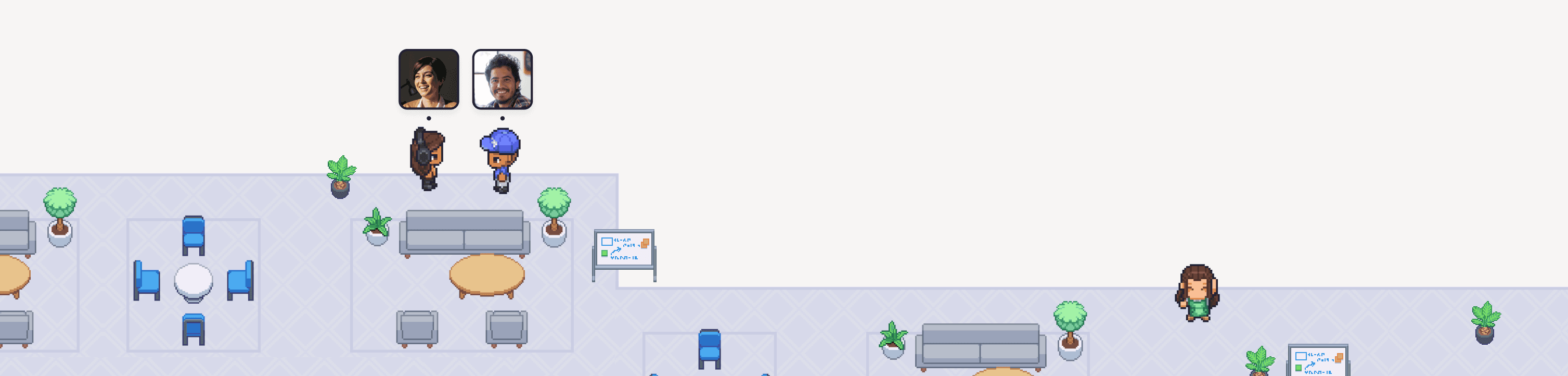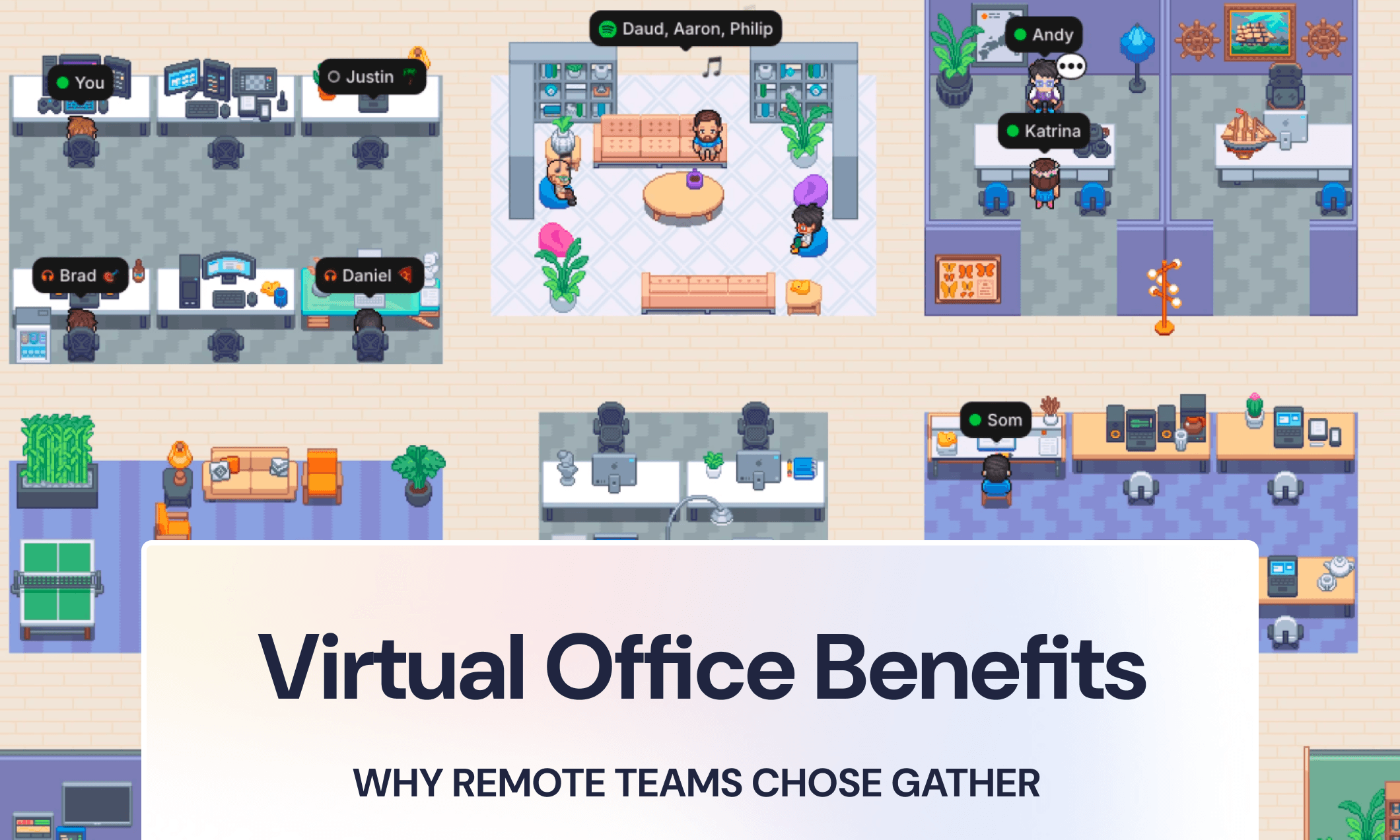
Remote work is full of flexibility, but it also has its limits. There's no small talk at the coffee pot or quick hallway hellos as you pass by someone on your way to a meeting. And while these interactions may seem small, they're the moments that keep people feeling connected.
A virtual office brings those spontaneous moments back. It gives you an online workspace where remote and hybrid teams can see who's around and talk in real time, without scheduling meetings or sending invite links. Teams on Gather have reduced Slack messages and Google Meet calls by 80%, and the average conversation lasts less than 10 minutes. Our goal is to make talking with remote teammates online feel delightful, energizing, and purposeful.
Here are 7 benefits remote and hybrid teams have unlocked by using Gather:
Fewer meetings, fewer pings
Faster answers, shorter conversations
Easier onboarding and on-the-spot mentorship
A team that feels like a team
Engagement and retention you can point to
Shared context for the whole team
A workspace that's yours
We'll also cover how scheduled meetings fit in, and how a virtual office works for hybrid teams.

A virtual office like Gather gives remote teams a place to run into each other.
1. Fewer meetings, fewer pings
Remote calendars fill up with stand-ups, coffee chats, and coworking blocks, all booked just to get a little face time. Even a "quick" question often starts as a thread that either turns into a meeting or goes on and on.
In Gather, you walk up to a teammate's desk or Wave them over, unmute, and start talking. No invite, no link to paste. It's one of the simplest ways to reduce meeting fatigue.
Horaizon's CEO, Luke Gregory, says messages on Slack and Google Chat dropped by about 80% once his team moved into Gather (read the story). At Beatport, engineers look around the office for an available designer and review prototypes on the spot. Because they can always find five free minutes, they've canceled meetings and kept calendars open.
Pegasus's co-founder, Clara Daray, describes the feeling best: "We don't feel the need to set up hour-long meetings to discuss the smallest things and have everyone think: 'This could have been an email!'"
2. Faster answers, shorter conversations
The average conversation on Gather lasts less than 10 minutes. Quick questions stay quick, and the momentum carries into the rest of the day.
Chil & Co., an Atlanta creative agency, is a good example. When designers and videographers need feedback, scheduling links and long Slack threads break their creative flow. In Gather, they walk up to each other and review work on the spot. 70% of their Gather conversations are under 10 minutes, and the typical one lasts about four. As CEO Bhargava Chiluveru says, "We can brainstorm, then iterate, iterate, iterate, without scheduling every single review."
Engineers feel it, too. A virtual office makes remote pair programming faster and more fluid, because you can see who's free and join or leave at any time. One engineering team reviewing Gather on G2 says its code review time dropped from 2+ days to under 1.

An example of two people talking at their desks in Gather. The conversation is Locked, so it can't be overheard. You can lock and unlock conversations at any time.
3. Easier onboarding and on-the-spot mentorship
Got a question? Look around your virtual office and find someone at their desk. No calendar search, and no dreaded "Hey, are you free for 5 minutes?" message.
A senior engineer can wave a junior developer over to shadow a bug fix the moment it's found.
A new hire can overhear teammates talking nearby and absorb context about the business.
A product manager can walk over to the support team's desk pod to get feedback on a launch.
Gojiberry, an AI sales agent startup, grew from three founders to 17 people in a year, without a physical office. Every new teammate is invited into the Gather office, introduced to everyone, and sets up their own desk. CMO Román Czerny calls it "a simple way to help them feel part of the team from the beginning." A personalized desk also gives people an easy conversation starter beyond "What do you do?"
It works at every level, too. At Human-I-T, AI Implementation Manager Lo Terry says walking up to the CEO feels no different than walking up to someone in inventory, because everyone's desk sits on the same flat plane. And TradeLink's Head of People & Culture says new hires learn who works on which team within days.
4. A team that feels like a team
Remote work can feel impersonal. In a virtual office, you can see teammates talking and working around you, and you can feel that you're not alone. That sense of presence is a big part of how teams improve remote team culture.
A member of the Beatport engineering team said it best after their first week: "This is the first time in four years I've actually felt like I was part of an organization and not just a guy who lives in Atlanta and works for Beatport."
The spark isn't limited to engineering teams. Konner Frey, an executive vice president of sales, put it this way: "I get to have dozens of side conversations throughout the day with people I otherwise wouldn't interact with much."
You can still host virtual team-building activities in a virtual office (they're often more fun with the visuals!), but the team-building doesn't stop when the scheduled event ends. The connection keeps building in the small moments in between.
And those small moments add up. A senior data scientist reviewing Gather on G2 says it "connects everyone on the team and creates stronger bonds," and adds that work at times feels more like play.
5. Engagement and retention you can point to
When people feel disconnected from the team, that's usually when they start to leave. Human-I-T works to bridge the digital divide, with on-site warehouse staff and remote teams across 9 states and 6 countries. After the shift to distributed work, retention dropped and communication got siloed, and exit interviews and surveys kept pointing to disconnection and isolation.
Since using Gather, Human-I-T saw a 70% increase in employee retention. CEO Gabe Middleton says the sense of community they'd lost for two or three years was "fully recouped in just one year of using Gather."
The pattern shows up elsewhere. weme, an innovation agency in Brazil, surveys employees weekly about their happiness at work. After rolling out Gather, it saw a 10% improvement in employee engagement.
Of course, a virtual office won't fix attrition on its own, but it gives you a place to put your values into action every day, where everyone can see them. Human-I-T's advice for other leaders: clarify your cultural values first, then use Gather to make them visible. That's what makes the connection purposeful, not just pleasant.

Members of the Pegasus Content team dancing in a conga line in their virtual office on Gather. They love to celebrate and have fun together.
6. Shared context for the whole team
In a physical office, context comes free: who's heads-down, who's mid-launch, what's up on the whiteboard. Remote teams usually have to ask.
Gather puts that context in the room. With App Status, an icon appears next to a teammate's name when they're working in apps like GitHub, Figma, Spotify, and Notion, so you can see what someone's up to without a "what are you working on?" message. You choose which apps to share, and you can switch it off anytime.
For engineering teams, the GitHub integration shows real-time activity right on the map. Icons float above engineers as they open and merge PRs, and clicking a profile or team area shows the recent PRs behind them. Ibrahima D., a CEO reviewing Gather on G2, says "the fact that Gather is connected to GitHub is a big plus, it's quite convenient for us."
Context can be personal, too. With the Spotify integration, teammates who click your name or avatar can see what you're listening to, which makes a good excuse to start a conversation.
Smart Objects bring your other tools into the office through webhooks, so a living dashboard or an inbox can sit in the room and update on its own. No checking another tab, no Slack ping to ask where something stands. Everyone who stops by sees the same live picture.
The benefit is fewer apps to juggle. As Daniel Tobon, founder of Tsquared Technologies, put it: "No more bouncing between different apps—everything happens in one place."
7. A workspace that's yours
A video call looks the same for every team. Your Gather office doesn't. Customize your avatar, decorate your desk, and make your virtual office as unique as your team. Decorate for holidays, birthdays, and company celebrations, and expand your space by clicking and dragging.
When everyone at Gojiberry redesigned their desks, teammates stopped by to see what everyone had done, swapped ideas, and joked about each other's decorating choices. As CMO Román Czerny puts it, "It was a small thing, but it made the space feel like ours." That sense of ownership matters.

A few of the personal offices you'll find in Chil & Co.'s virtual office on Gather, each decorated to show off a team member's unique personality.
At Chil & Co., CEO Bhargava's office has a pirate flag and a basketball, the operations manager keeps a yellow couch and a fish tank, and one senior project manager turned hers into a plant lover's paradise. The team even rebuilt its real-life studio in Gather, so everyone knows where the studio manager is without a single "Where's Jordan?" message. Ruhrdot went a step further and shaped its whole office like its logo.
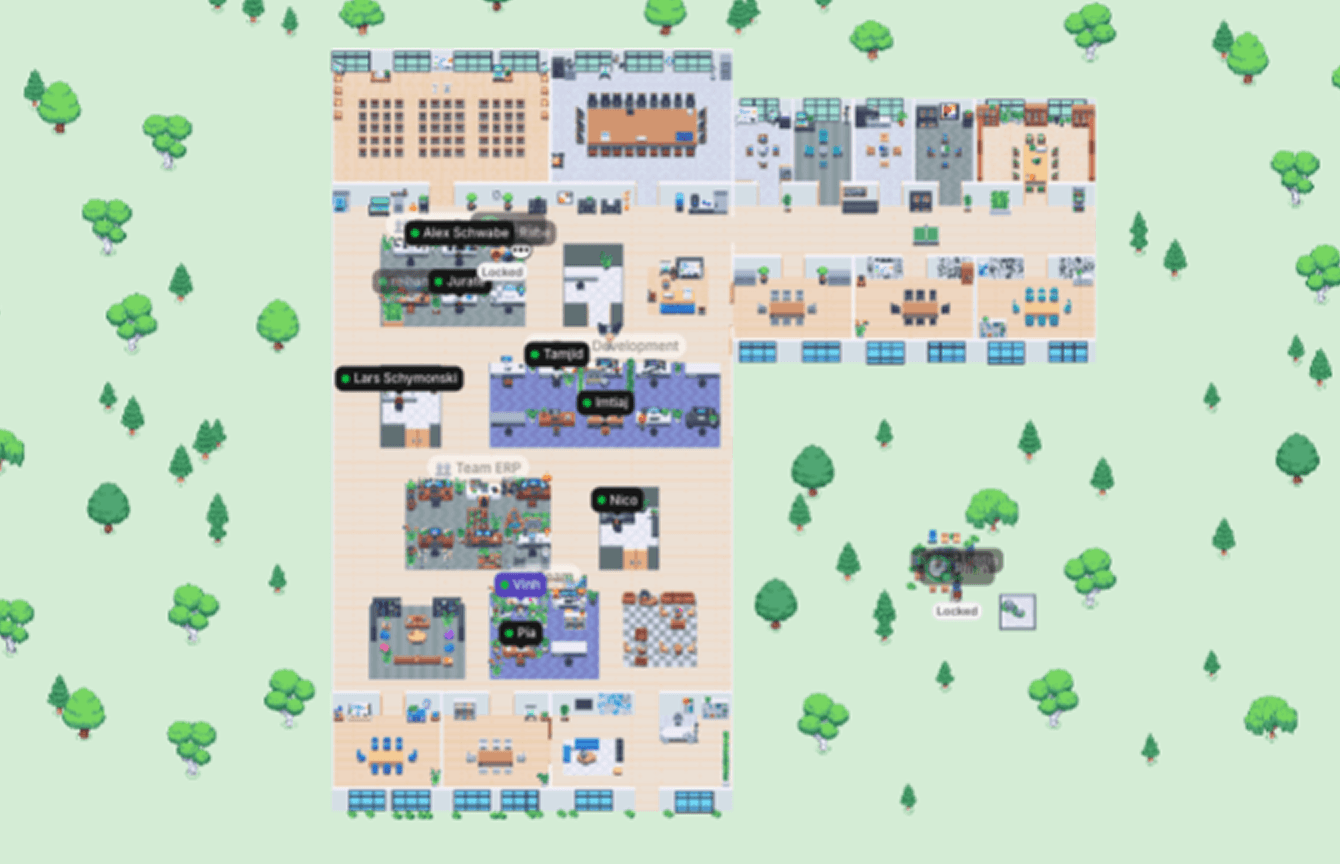
Ruhrdot's virtual office on Gather, shaped like their company logo.
What about scheduled meetings?
Spontaneous doesn't mean unstructured. Gather is the one place for scheduled meetings, spontaneous conversations, and chat. Connect your Google Calendar for easy scheduling, share screens, record, and review AI transcriptions and summaries afterward.

Example of a Meeting in Gather, in Meeting View.
Works for fully remote and hybrid teams
A virtual office isn't only for teams without a physical space. Chil & Co. is a hybrid agency of about 20 people. They work together in Gather day to day, then meet in person twice a month for team-building, studio shoots, and client meetings. Human-I-T uses Gather to connect warehouse teams with remote teammates in different states and countries. Oliver C., a product manager reviewing Gather on G2, says it brings remote and in-person employees closer together.
Looking for a setup that fits your team? See how Gather works for managers, engineering teams, design teams, and startups.
How to get started
Setup takes about two minutes. Choose and configure your space, invite your team with one click, and start collaborating right away. Your first 30 days are free, with no credit card required.
Gojiberry's CMO has advice for making it stick: run your daily meetings in Gather, welcome new teammates there, and let everyone make the space their own. The value gets clearer once it's part of the everyday routine. Our pilot guide walks you through a proven six-step plan for launching Gather with your team.
Virtual office FAQs
What is a virtual office and how does it work?
A virtual office is an online workspace where remote and hybrid teams collaborate in real time. In Gather, you move your avatar around a shared office, and spatial audio and video let you talk with whoever is nearby. Walk up to a desk or Wave a teammate over, unmute, and the conversation starts. No link, no invite required.
What are the main benefits of a virtual office for remote teams?
The seven biggest benefits are fewer meetings, faster answers, easier onboarding and mentorship, a stronger sense of team connection, measurable engagement and retention gains, shared context across the whole team, and a workspace that's yours. Teams on Gather have reduced Slack messages and Google Meet calls by 80%, and the average conversation lasts less than 10 minutes. Human-I-T saw a 70% increase in employee retention.
Does a virtual office work for hybrid teams?
Yes. Hybrid teams use Gather as their everyday headquarters, so people feel connected whether they're at home or in the building.
Will a virtual office be distracting?
You control how reachable you are. Mute, put on virtual headphones to focus, and glance at the office to see who's busy, in a meeting, or free to chat. Human-I-T's team was skeptical at first, too. After a week, one skeptic couldn't imagine remote work without it, because people only walk over when they need something.
Can you still hold scheduled meetings in a virtual office?
Yes. Connect your Google Calendar for easy scheduling, share screens, record, and review AI transcriptions and summaries afterward. Scheduled meetings and spontaneous conversations happen in the same place.
Is a virtual office better than Zoom or Google Meet for remote teams?
Zoom and Google Meet are built around scheduled calls. Gather is built for the moments in between, but it handles scheduled meetings, too. Most teams that move into Gather drop Zoom and Google Meet.
How long does it take to set up a virtual office on Gather?
About two minutes. Choose and configure your space, invite your team with one click, and start collaborating right away. Try it free for 30 days, with no credit card and no setup fees.
Conclusion
In his 2025 "What's in Your Stack?" report, which surveys 6,500 tech professionals, Lenny Rachitsky called Gather one of the most interesting up-and-coming tools for work communication.
Remote teams that move into a virtual office don't just feel more connected. They work differently: fewer meetings, quicker answers, and mentorship that happens in the moment instead of on a calendar. Talking with your teammates online can be delightful, energizing, and purposeful. It just takes the right space.
If you want your remote team to have conversations that feel natural instead of scheduled, Gather gives you a virtual office where they happen. Start your free 30-day trial →