The virtual office built for remote design teams
Gather is the virtual workspace where distributed designers brainstorm, review, and iterate — without the back-and-forth. Walk over, share your screen, and get feedback fast.
The virtual office built for remote design teams
Gather is the virtual workspace where distributed designers brainstorm, review, and iterate — without the back-and-forth. Walk over, share your screen, and get feedback fast.
The virtual office built for remote design teams
Gather is the virtual workspace where distributed designers brainstorm, review, and iterate — without the back-and-forth. Walk over, share your screen, and get feedback fast.
The virtual office built for remote design teams
Gather is the virtual workspace where distributed designers brainstorm, review, and iterate — without the back-and-forth. Walk over, share your screen, and get feedback fast.
Give your design team the creative energy they're missing
Give your design team the creative energy they're missing
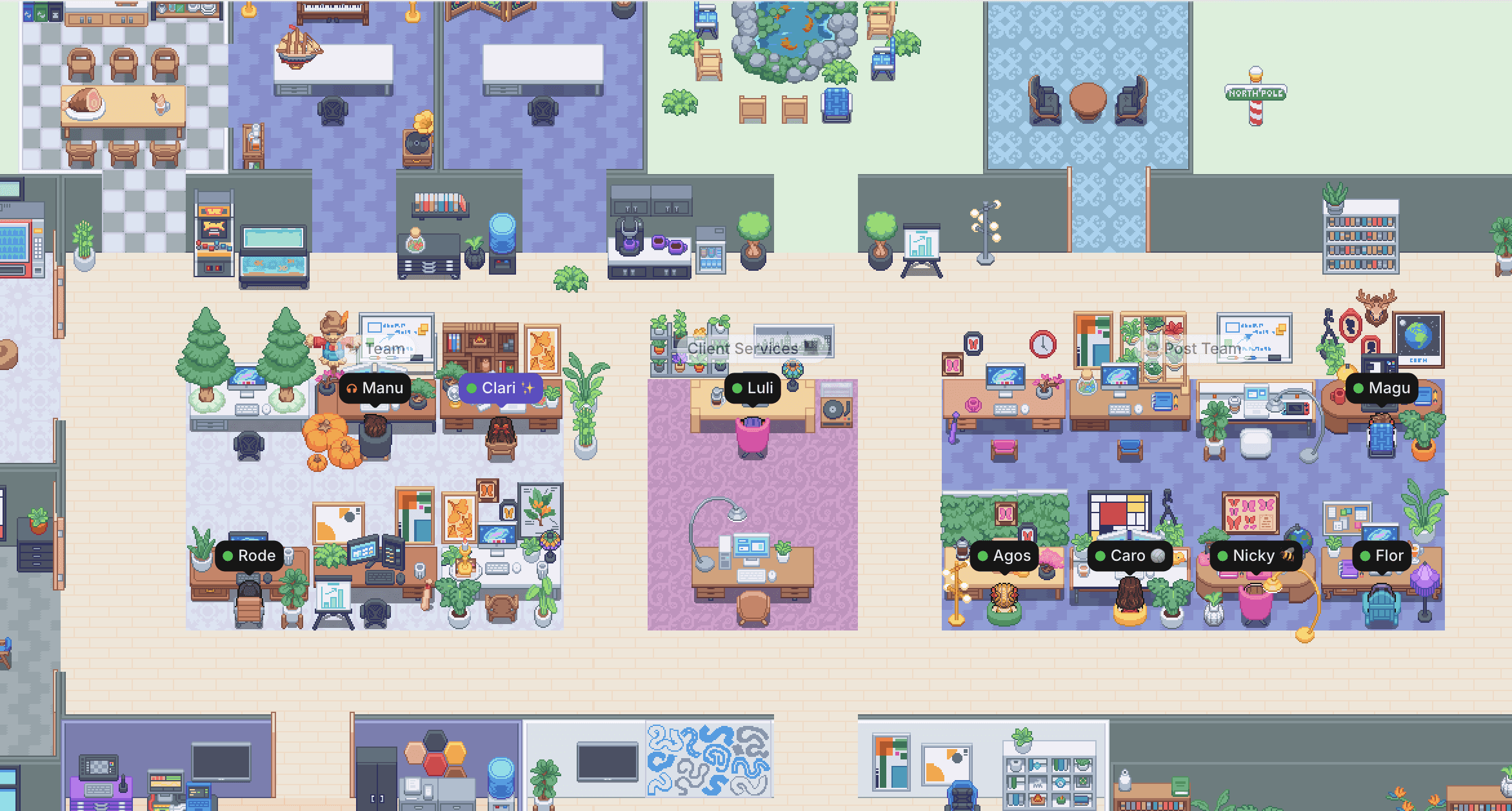
See who's free, jump into a critique in seconds, and feel the momentum of a team creating great work together. Gather gives your designers the spontaneity of an in-person studio plus the flexibility of remote work.
See who's free, jump into a critique in seconds, and feel the momentum of a team creating great work together. Gather gives your designers the spontaneity of an in-person studio plus the flexibility of remote work.
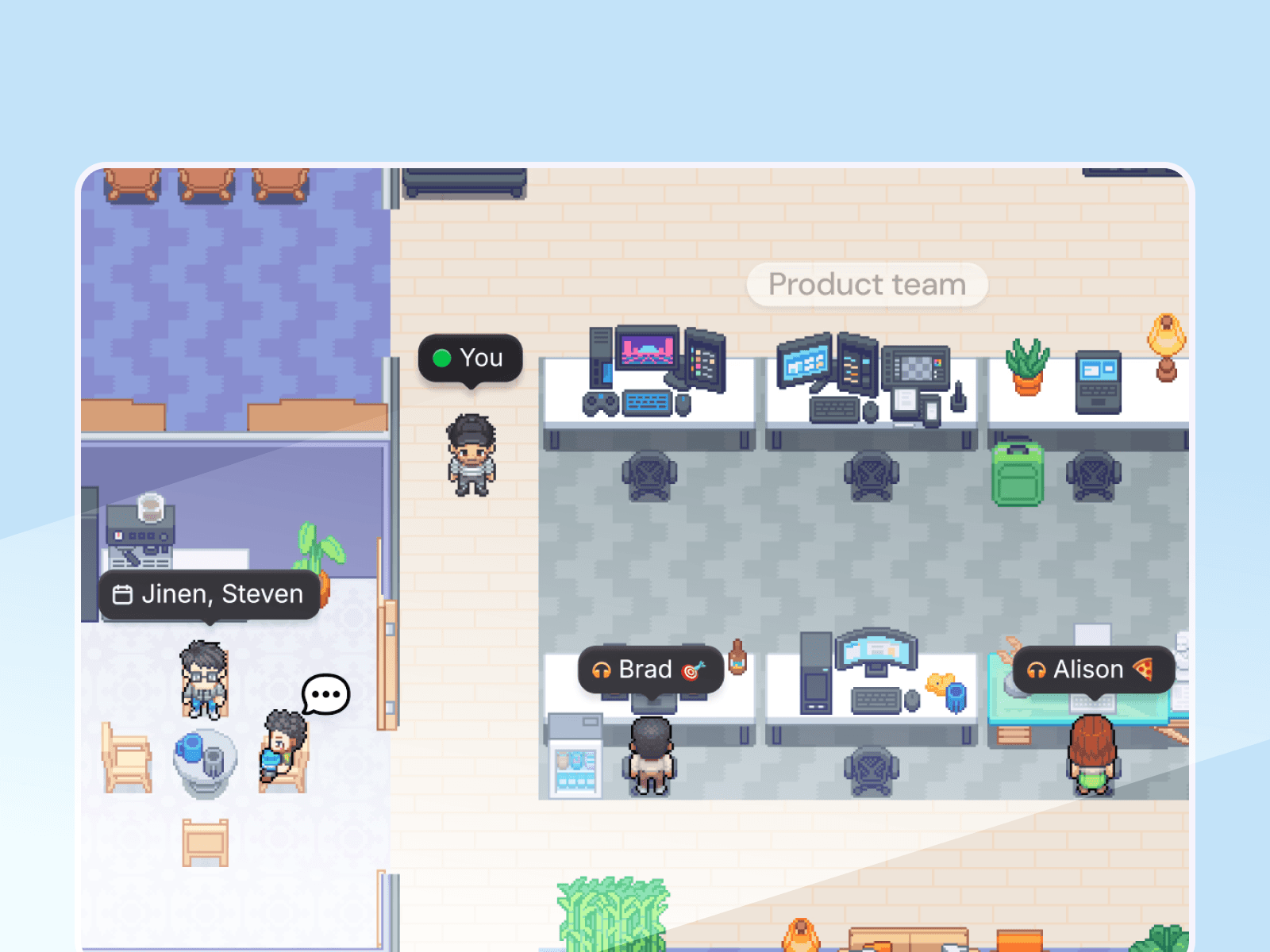
Skip the calendar invite
See who's free, walk over, and get eyes on your work. Design reviews are as easy as turning a chair around.
Skip the calendar invite
See who's free, walk over, and get eyes on your work. Design reviews are as easy as turning a chair around.
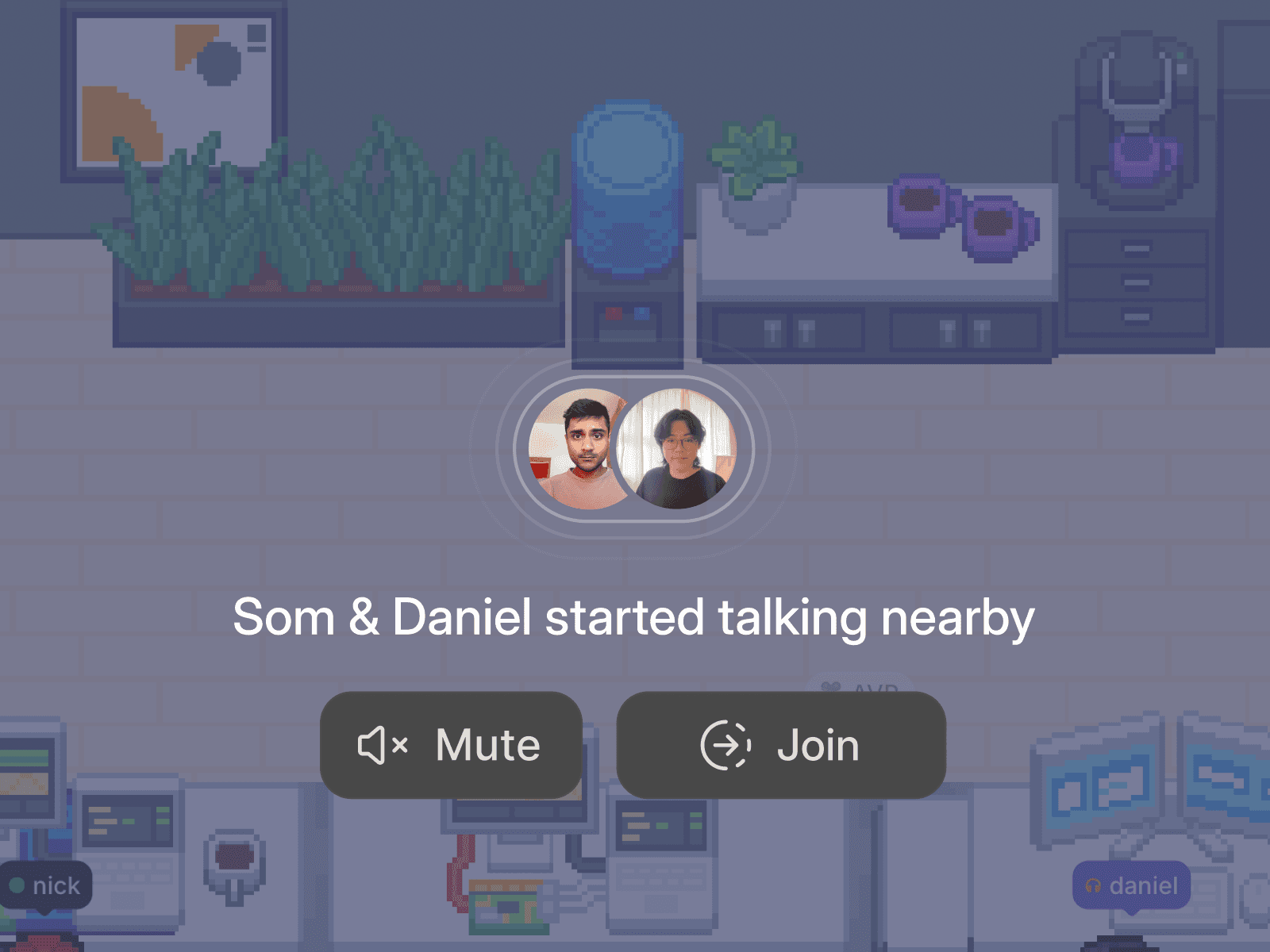
Protect your creative focus
Stay heads down when you need to. Your status signals availability, and you're muted by default.
Protect your creative focus
Stay heads down when you need to. Your status signals availability, and you're muted by default.

Brainstorm without booking it
Walk up to whiteboards, share your screen, and start ideating. Queue up a Spotify playlist while you're at it.
Brainstorm without booking it
Walk up to whiteboards, share your screen, and start ideating. Queue up a Spotify playlist while you're at it.
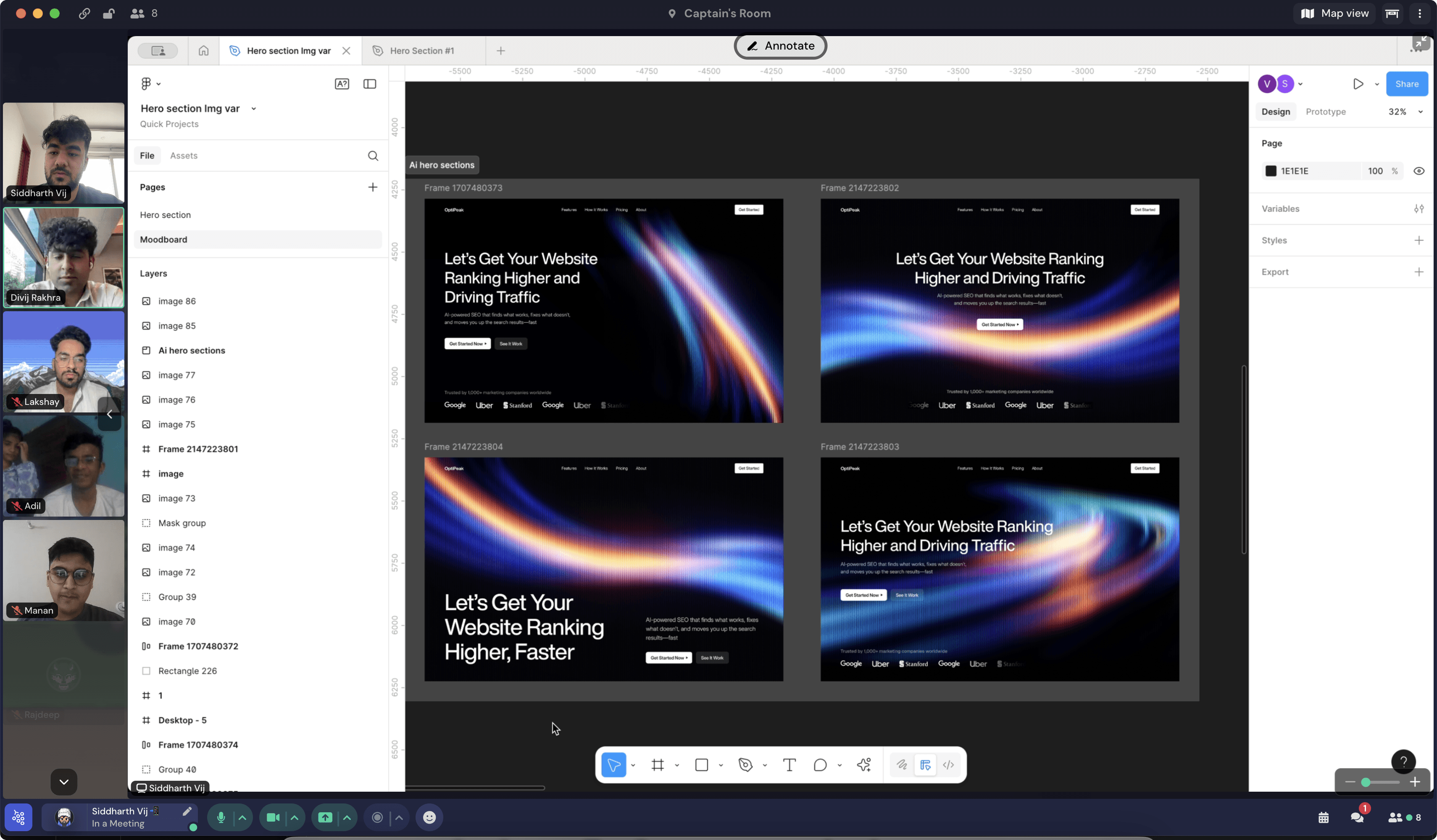
"[With Gather], dropping by a teammate’s desk takes seconds. Ideas flow without the friction of scheduling meetings. Feedback happens in real time, just like in a physical office. The result? Faster iteration cycles. Higher-quality design work. A stronger, more connected team. And most importantly—happier clients."

Billy Luedtke
Co-Founder at Bricx, a remote UI/UX agency
"[With Gather], dropping by a teammate’s desk takes seconds. Ideas flow without the friction of scheduling meetings. Feedback happens in real time, just like in a physical office. The result? Faster iteration cycles. Higher-quality design work. A stronger, more connected team. And most importantly—happier clients."
Billy Luedtke
Co-Founder at Bricx, a remote UI/UX agency
Design reviews at the speed of conversation
No more "can you hop on a call?" back-and-forth. Just walk over, talk through feedback, and get back to creating. The average Gather conversation runs under 10 minutes.

Design reviews at the speed of conversation
No more "can you hop on a call?" back-and-forth. Just walk over, talk through feedback, and get back to creating. The average Gather conversation runs under 10 minutes.
Design reviews at the speed of conversation
No more "can you hop on a call?" back-and-forth. Just walk over, talk through feedback, and get back to creating. The average Gather conversation runs under 10 minutes.
Protect your team's focus time
You're muted by default in Gather. Your team can see you're around, but they know you're heads-down. Switch between deep work and open-door availability, in the same space.

Protect your team's focus time
You're muted by default in Gather. Your team can see you're around, but they know you're heads-down. Switch between deep work and open-door availability, in the same space.
Protect your team's focus time
You're muted by default in Gather. Your team can see you're around, but they know you're heads-down. Switch between deep work and open-door availability, in the same space.
Presence and creative energy at a glance
Gather shows you exactly who's free, focused, or in a meeting the moment you open the app. No more guessing – get the kind of visibility that used to require an office.
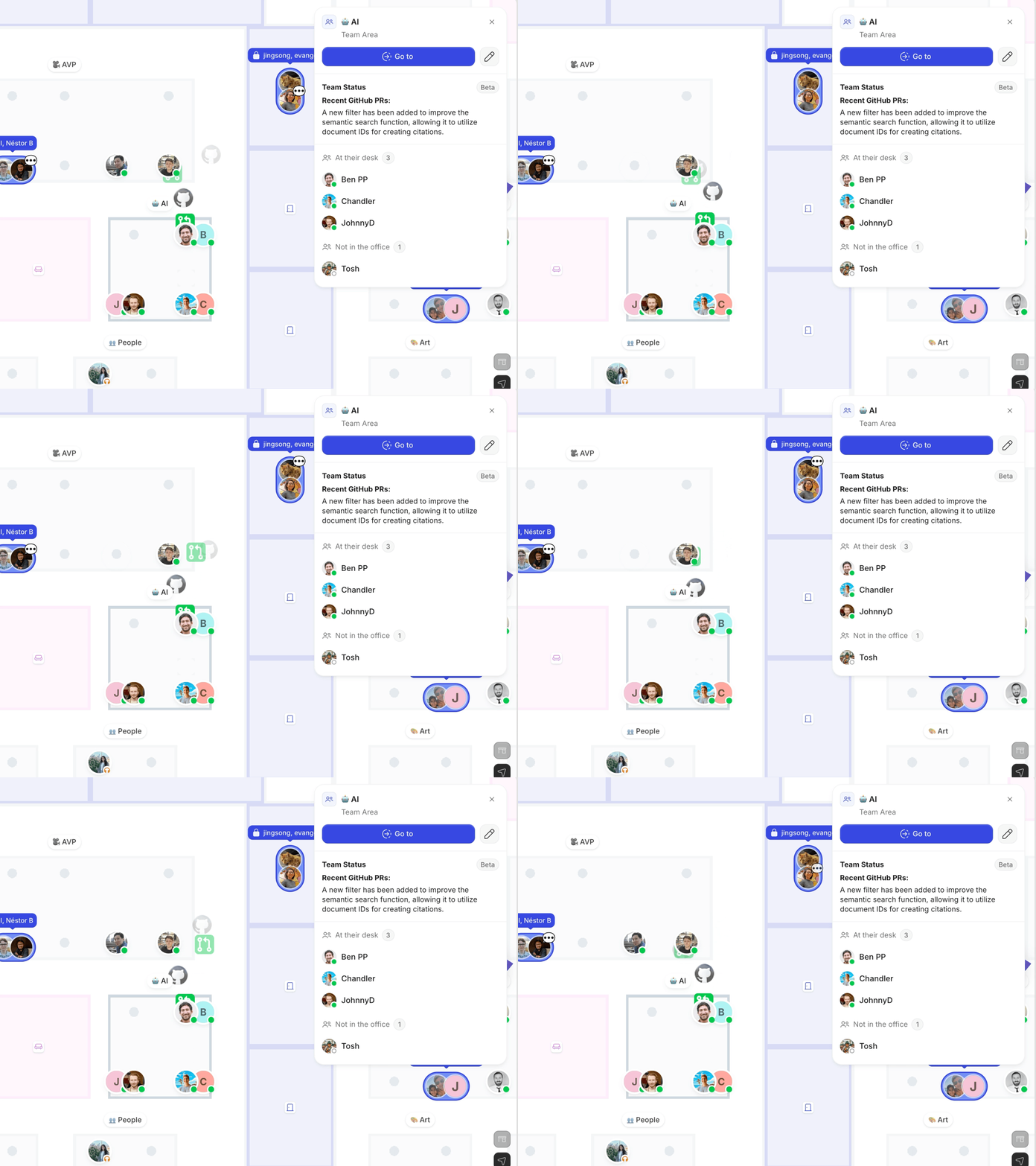
Presence and creative energy at a glance
Gather shows you exactly who's free, focused, or in a meeting the moment you open the app. No more guessing – get the kind of visibility that used to require an office.
Presence and creative energy at a glance
Gather shows you exactly who's free, focused, or in a meeting the moment you open the app. No more guessing – get the kind of visibility that used to require an office.
"The team absolutely loves Gather. We get to have shorter chats and keep conversations going while closing loops faster. We don't feel the need to set up hour-long meetings to discuss the smallest things and have everyone think: 'This could have been an email!'"

Clara Daray
Co-Founder & Managing Partner at Pegasus Content
"The team absolutely loves Gather. We get to have shorter chats and keep conversations going while closing loops faster. We don't feel the need to set up hour-long meetings to discuss the smallest things and have everyone think: 'This could have been an email!'"
Clara Daray
Co-Founder & Managing Partner at Pegasus Content
Connect your favorite apps
Live updates and real context from the tools your team already loves.

Google Calendar
Sync your calendar, auto-update status, and never miss a meeting.

Spotify
Share what's playing and see what teammates are listening to.

Github
See live PR summaries and team activity without switching windows.
Connect your favorite apps
Live updates and real context from the tools your team already loves.
Google Calendar
Sync your calendar, auto-update status, and never miss a meeting.
Spotify
Share what's playing and see what teammates are listening to.
Github
See live PR summaries and team activity without switching windows.
Connect your favorite apps
Live updates and real context from the tools your team already loves.
Google Calendar
Sync your calendar, auto-update status, and never miss a meeting.
Spotify
Share what's playing and see what teammates are listening to.
Github
See live PR summaries and team activity without switching windows.
Connect your favorite apps
Live updates and real context from the tools your team already loves.
Google Calendar
Sync your calendar, auto-update status, and never miss a meeting.
Spotify
Share what's playing and see what teammates are listening to.
Github
See live PR summaries and team activity without switching windows.
FAQs
How do remote design critiques work in Gather?
Glance at your Gather virtual office to see who's available and walk up to a teammate's desk to start a conversation — no link or invite needed. Share your screen (multiple people can share at once), talk through the feedback, and head back to your desk when you're done. The average Gather conversation is less than 10 minutes.
Will my designers get interrupted all the time?
Nope! Focus is the default. You're muted in Gather until you turn your mic and camera on, and you have full control over what you see and hear from others. Set your status to "Busy" to block interruptions, switch to Simplified View to minimize distractions, and share your live app status so your teammates know when you're focused (and when to come back later).
Who uses Gather?
Remote-first and distributed teams of all sizes, from early-stage startups to creative agencies to established companies, use Gather as their virtual office. Teams use Gather to stay connected, run meetings, onboard new hires, and build the kind of culture that's hard to create on Zoom and Slack.
How do I get started?
Getting started with Gather is easy, and your first 30 days are on us! It takes less than 10 minutes to set up your workspace. You can choose to invite teammates immediately or spend extra time customizing your virtual office.
For onboarding tips, check out our pilot guide.
Moving from Gather 1.0? Follow the migration guide.
Still have questions?
FAQs
How do remote design critiques work in Gather?
Glance at your Gather virtual office to see who's available and walk up to a teammate's desk to start a conversation — no link or invite needed. Share your screen (multiple people can share at once), talk through the feedback, and head back to your desk when you're done. The average Gather conversation is less than 10 minutes.
Will my designers get interrupted all the time?
Nope! Focus is the default. You're muted in Gather until you turn your mic and camera on, and you have full control over what you see and hear from others. Set your status to "Busy" to block interruptions, switch to Simplified View to minimize distractions, and share your live app status so your teammates know when you're focused (and when to come back later).
Who uses Gather?
Remote-first and distributed teams of all sizes, from early-stage startups to creative agencies to established companies, use Gather as their virtual office. Teams use Gather to stay connected, run meetings, onboard new hires, and build the kind of culture that's hard to create on Zoom and Slack.
How do I get started?
Getting started with Gather is easy, and your first 30 days are on us! It takes less than 10 minutes to set up your workspace. You can choose to invite teammates immediately or spend extra time customizing your virtual office.
For onboarding tips, check out our pilot guide.
Moving from Gather 1.0? Follow the migration guide.
Still have questions?
FAQs
How do remote design critiques work in Gather?
Glance at your Gather virtual office to see who's available and walk up to a teammate's desk to start a conversation — no link or invite needed. Share your screen (multiple people can share at once), talk through the feedback, and head back to your desk when you're done. The average Gather conversation is less than 10 minutes.
Will my designers get interrupted all the time?
Nope! Focus is the default. You're muted in Gather until you turn your mic and camera on, and you have full control over what you see and hear from others. Set your status to "Busy" to block interruptions, switch to Simplified View to minimize distractions, and share your live app status so your teammates know when you're focused (and when to come back later).
Who uses Gather?
Remote-first and distributed teams of all sizes, from early-stage startups to creative agencies to established companies, use Gather as their virtual office. Teams use Gather to stay connected, run meetings, onboard new hires, and build the kind of culture that's hard to create on Zoom and Slack.
How do I get started?
Getting started with Gather is easy, and your first 30 days are on us! It takes less than 10 minutes to set up your workspace. You can choose to invite teammates immediately or spend extra time customizing your virtual office.
For onboarding tips, check out our pilot guide.
Moving from Gather 1.0? Follow the migration guide.
Still have questions?
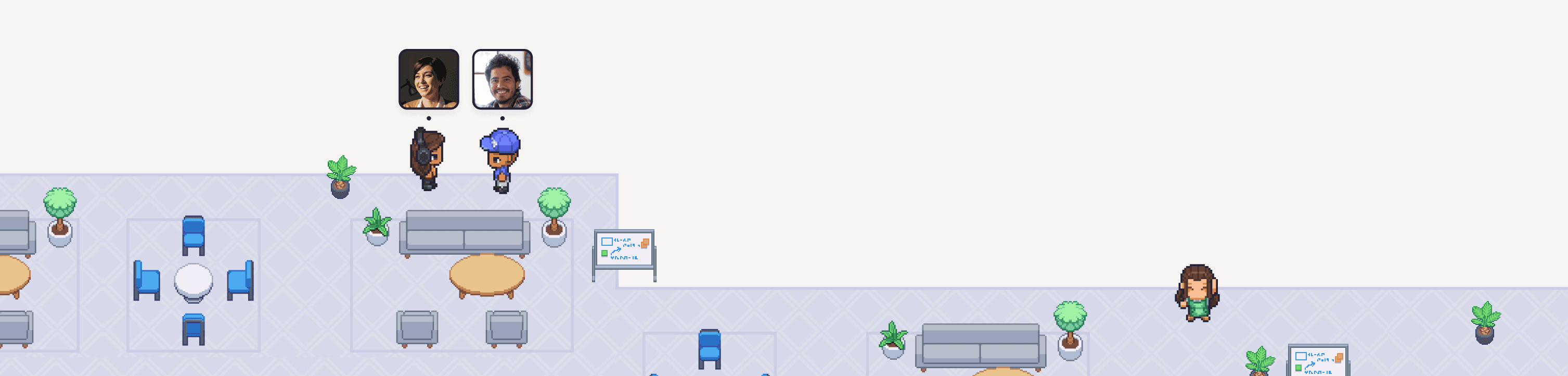
The first 30 days are on us
Try Gather 2.0 free with your team. No credit card. No setup fees.
2 Minutes
Choose & configure your space
1 Click
Invite your team
Immediately
Start collaborating
The first 30 days are on us
Try Gather 2.0 free with your team. No credit card. No setup fees.
2 Minutes
Choose & configure your space
1 Click
Invite your team
Immediately
Start collaborating
The first 30 days are on us
Try Gather 2.0 free with your team. No credit card. No setup fees.
2 Minutes
Choose & configure your space
1 Click
Invite your team
Immediately