The virtual office built for remote engineering teams
Gather is the virtual workspace where distributed teams meet, code, and collaborate — without the meeting. Walk over, talk it out, and get back to shipping.
The virtual office built for remote engineering teams
Gather is the virtual workspace where distributed teams meet, code, and collaborate — without the meeting. Walk over, talk it out, and get back to shipping.
The virtual office built for remote engineering teams
Gather is the virtual workspace where distributed teams meet, code, and collaborate — without the meeting. Walk over, talk it out, and get back to shipping.
The virtual office built for remote engineering teams
Gather is the virtual workspace where distributed teams meet, code, and collaborate — without the meeting. Walk over, talk it out, and get back to shipping.
Unblock your remote team without another meeting
Unblock your remote team without another meeting
See who's free, jump into a conversation in seconds, and feel the energy of the team shipping together. Gather gives your engineers the spontaneity of an office plus the perks of remote work.
See who's free, jump into a conversation in seconds, and feel the energy of the team shipping together. Gather gives your engineers the spontaneity of an office plus the perks of remote work.
Skip the calendar invite
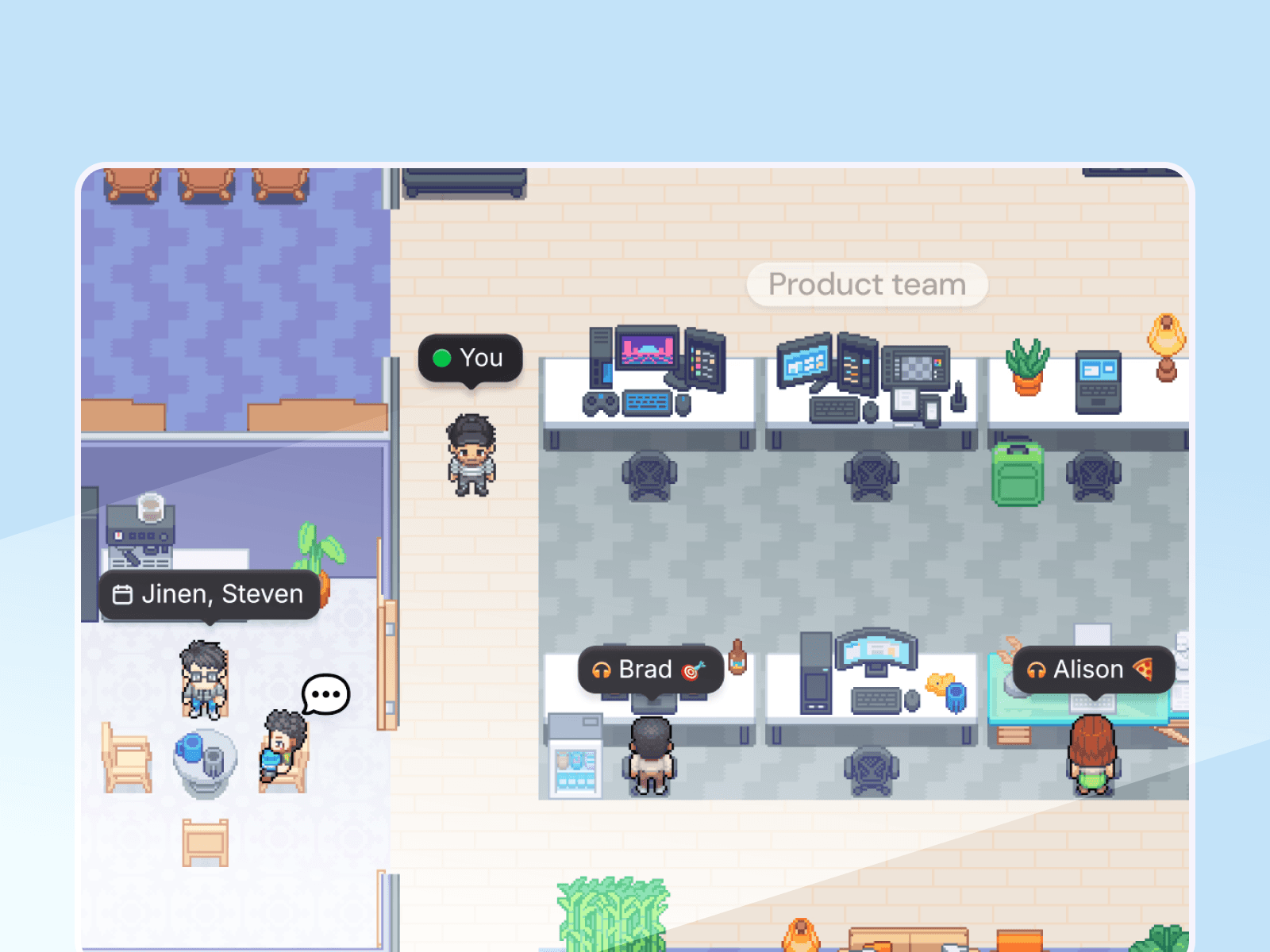
See who's in a review, walk over, and jump in. Gather makes pairing as easy as rolling your chair over.
Skip the calendar invite
See who's in a review, walk over, and jump in. Gather makes pairing as easy as rolling your chair over.
Protect your focus
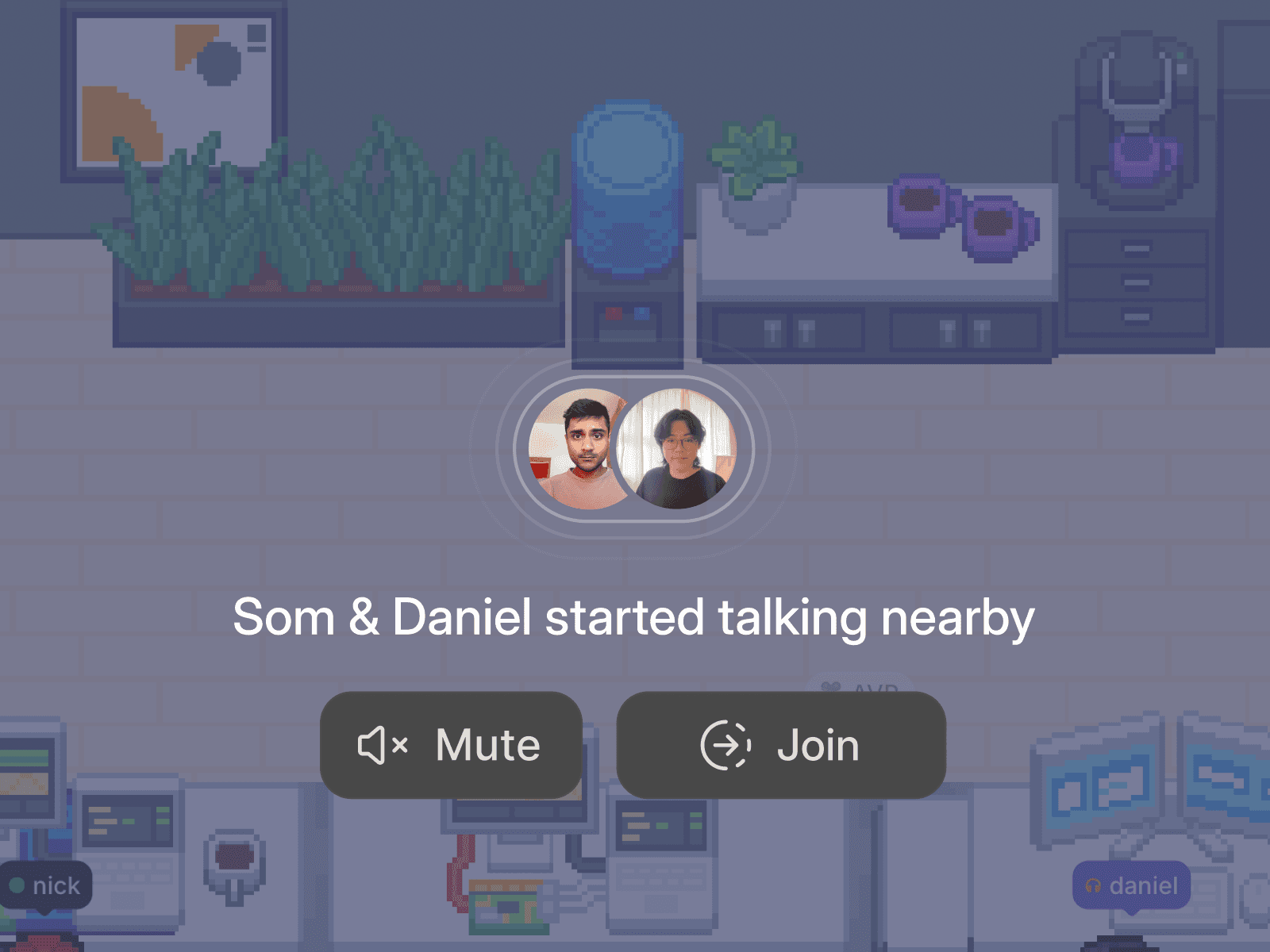
Stay heads down when you need to. Your status signals availability, and you're muted by default.
Protect your focus
Stay heads down when you need to. Your status signals availability, and you're muted by default.

Enjoy spontaneous coworking
Build alongside your team – no invite required. Queue up a Spotify playlist while you debug together.
Enjoy spontaneous coworking
Build alongside your team – no invite required. Queue up a Spotify playlist while you debug together.

“I’ve always loved the energy and focus of a war room during crunch time—it’s where the magic happens. Gather has given us the ability to recreate that intense, collaborative environment remotely, which is absolutely invaluable.”

Billy Luedtke
CEO of Intuition Systems
“I’ve always loved the energy and focus of a war room during crunch time—it’s where the magic happens. Gather has given us the ability to recreate that intense, collaborative environment remotely, which is absolutely invaluable.”
Billy Luedtke
CEO of Intuition Systems
Code reviews at the speed of conversation
Walk up to a teammate's desk and start pairing in seconds. No context-switching, no "can you hop on a call?" Just walk over, work through it, and get back to your editor.

Code reviews at the speed of conversation
Walk up to a teammate's desk and start pairing in seconds. No context-switching, no "can you hop on a call?" Just walk over, work through it, and get back to your editor.
Code reviews at the speed of conversation
Walk up to a teammate's desk and start pairing in seconds. No context-switching, no "can you hop on a call?" Just walk over, work through it, and get back to your editor.
Protect your team's focus time
You're muted by default in Gather. Your team can see you're around, but they know you're heads-down. Switch between deep work and open-door availability, in the same space.

Protect your team's focus time
You're muted by default in Gather. Your team can see you're around, but they know you're heads-down. Switch between deep work and open-door availability, in the same space.
Protect your team's focus time
You're muted by default in Gather. Your team can see you're around, but they know you're heads-down. Switch between deep work and open-door availability, in the same space.
Presence and activity at a glance
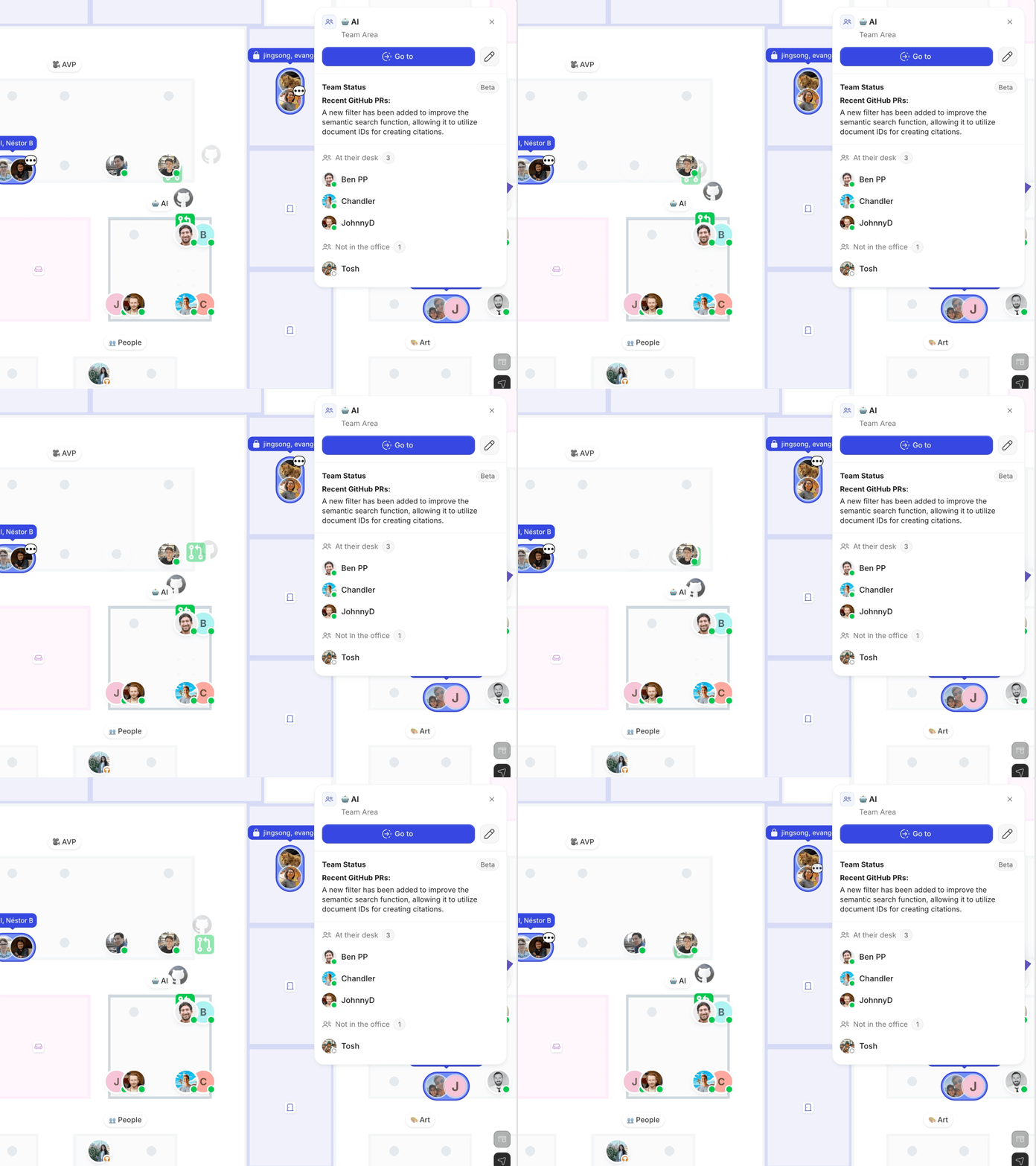
Gather shows you exactly who's free, focused, or in a meeting the moment you open the app. No more guessing – get the kind of visibility that used to require an office.
Presence and activity at a glance
Gather shows you exactly who's free, focused, or in a meeting the moment you open the app. No more guessing – get the kind of visibility that used to require an office.
Presence and activity at a glance
Gather shows you exactly who's free, focused, or in a meeting the moment you open the app. No more guessing – get the kind of visibility that used to require an office.
"Gather has done more for Beatport's engineering operations, culture, and productivity than anything else in the last 5 years. We made our money back on Gather in the first week that we had it."

Morgan Soley
Director of Engineering at Beatport
"Gather has done more for Beatport's engineering operations, culture, and productivity than anything else in the last 5 years. We made our money back on Gather in the first week that we had it."
Morgan Soley
Director of Engineering at Beatport
Connect your favorite apps
Live updates and real context from the tools your team already loves.

Google Calendar
Sync your calendar, auto-update status, and never miss a meeting.

Spotify
Share what's playing and see what teammates are listening to.

Github
See live PR summaries and team activity without switching windows.
Connect your favorite apps
Live updates and real context from the tools your team already loves.
Google Calendar
Sync your calendar, auto-update status, and never miss a meeting.
Spotify
Share what's playing and see what teammates are listening to.
Github
See live PR summaries and team activity without switching windows.
Connect your favorite apps
Live updates and real context from the tools your team already loves.
Google Calendar
Sync your calendar, auto-update status, and never miss a meeting.
Spotify
Share what's playing and see what teammates are listening to.
Github
See live PR summaries and team activity without switching windows.
Connect your favorite apps
Live updates and real context from the tools your team already loves.
Google Calendar
Sync your calendar, auto-update status, and never miss a meeting.
Spotify
Share what's playing and see what teammates are listening to.
Github
See live PR summaries and team activity without switching windows.
FAQs
How does pair programming work in Gather?
See who's actually available by glancing at your virtual office and simply walk up to a teammate's desk to start a conversation. No link or invite required.
Share your screen (multiple people can share at once), talk through the code, and head back to your desk when you're done. The average Gather conversation is less than 10 minutes.
Will my engineers get interrupted all the time?
Nope! Focus is the default. You're muted in Gather until you turn your mic and camera on, and you have full control over what you see and hear from others. Set your status to "Busy" to block interruptions, switch to Simplified View to minimize distractions, and share your live app status so your teammates know when you're focused (and when to come back later).
What does Gather's GitHub integration do?
Connect Gather to GitHub to see live PR summaries and team activity right inside your virtual office. It's an easy way to spot when a review needs eyes or when a teammate just shipped something worth celebrating, without switching windows.
How do I get started?
Getting started with Gather is easy, and your first 30 days are on us! It takes less than 10 minutes to set up your workspace. You can choose to invite teammates immediately or spend extra time customizing your virtual office.
For onboarding tips, check out our pilot guide.
Moving from Gather 1.0? Follow the migration guide.
Still have questions?
FAQs
How does pair programming work in Gather?
See who's actually available by glancing at your virtual office and simply walk up to a teammate's desk to start a conversation. No link or invite required.
Share your screen (multiple people can share at once), talk through the code, and head back to your desk when you're done. The average Gather conversation is less than 10 minutes.
Will my engineers get interrupted all the time?
Nope! Focus is the default. You're muted in Gather until you turn your mic and camera on, and you have full control over what you see and hear from others. Set your status to "Busy" to block interruptions, switch to Simplified View to minimize distractions, and share your live app status so your teammates know when you're focused (and when to come back later).
What does Gather's GitHub integration do?
Connect Gather to GitHub to see live PR summaries and team activity right inside your virtual office. It's an easy way to spot when a review needs eyes or when a teammate just shipped something worth celebrating, without switching windows.
How do I get started?
Getting started with Gather is easy, and your first 30 days are on us! It takes less than 10 minutes to set up your workspace. You can choose to invite teammates immediately or spend extra time customizing your virtual office.
For onboarding tips, check out our pilot guide.
Moving from Gather 1.0? Follow the migration guide.
Still have questions?
FAQs
How does pair programming work in Gather?
See who's actually available by glancing at your virtual office and simply walk up to a teammate's desk to start a conversation. No link or invite required.
Share your screen (multiple people can share at once), talk through the code, and head back to your desk when you're done. The average Gather conversation is less than 10 minutes.
Will my engineers get interrupted all the time?
Nope! Focus is the default. You're muted in Gather until you turn your mic and camera on, and you have full control over what you see and hear from others. Set your status to "Busy" to block interruptions, switch to Simplified View to minimize distractions, and share your live app status so your teammates know when you're focused (and when to come back later).
What does Gather's GitHub integration do?
Connect Gather to GitHub to see live PR summaries and team activity right inside your virtual office. It's an easy way to spot when a review needs eyes or when a teammate just shipped something worth celebrating, without switching windows.
How do I get started?
Getting started with Gather is easy, and your first 30 days are on us! It takes less than 10 minutes to set up your workspace. You can choose to invite teammates immediately or spend extra time customizing your virtual office.
For onboarding tips, check out our pilot guide.
Moving from Gather 1.0? Follow the migration guide.
Still have questions?
The first 30 days are on us
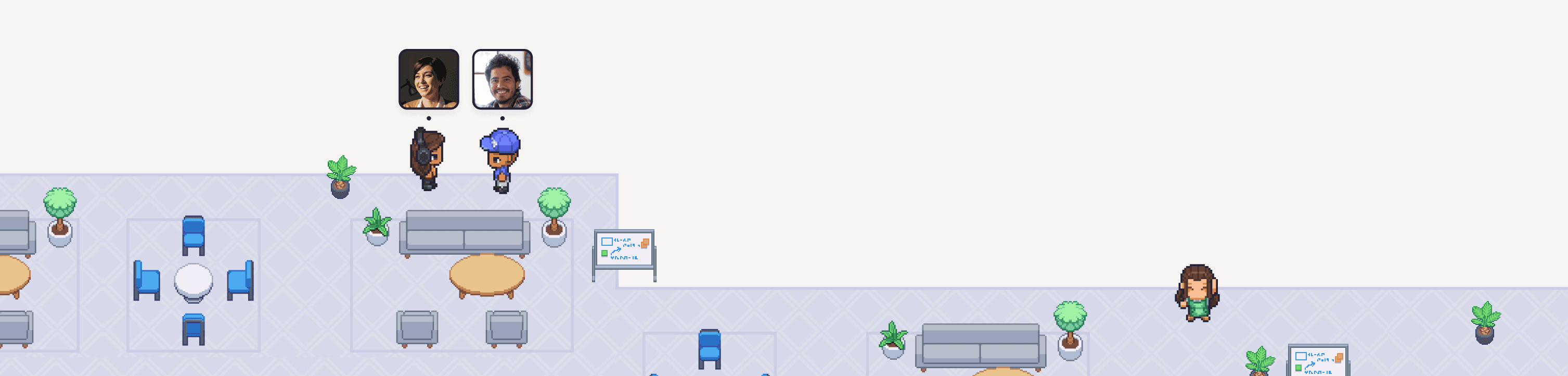
Try Gather 2.0 free with your team. No credit card. No setup fees.
2 Minutes
Choose & configure your space
1 Click
Invite your team
Immediately
Start collaborating
The first 30 days are on us
Try Gather 2.0 free with your team. No credit card. No setup fees.
2 Minutes
Choose & configure your space
1 Click
Invite your team
Immediately
Start collaborating
The first 30 days are on us
Try Gather 2.0 free with your team. No credit card. No setup fees.
2 Minutes
Choose & configure your space
1 Click
Invite your team
Immediately