Discover the best virtual workspace for remote teams
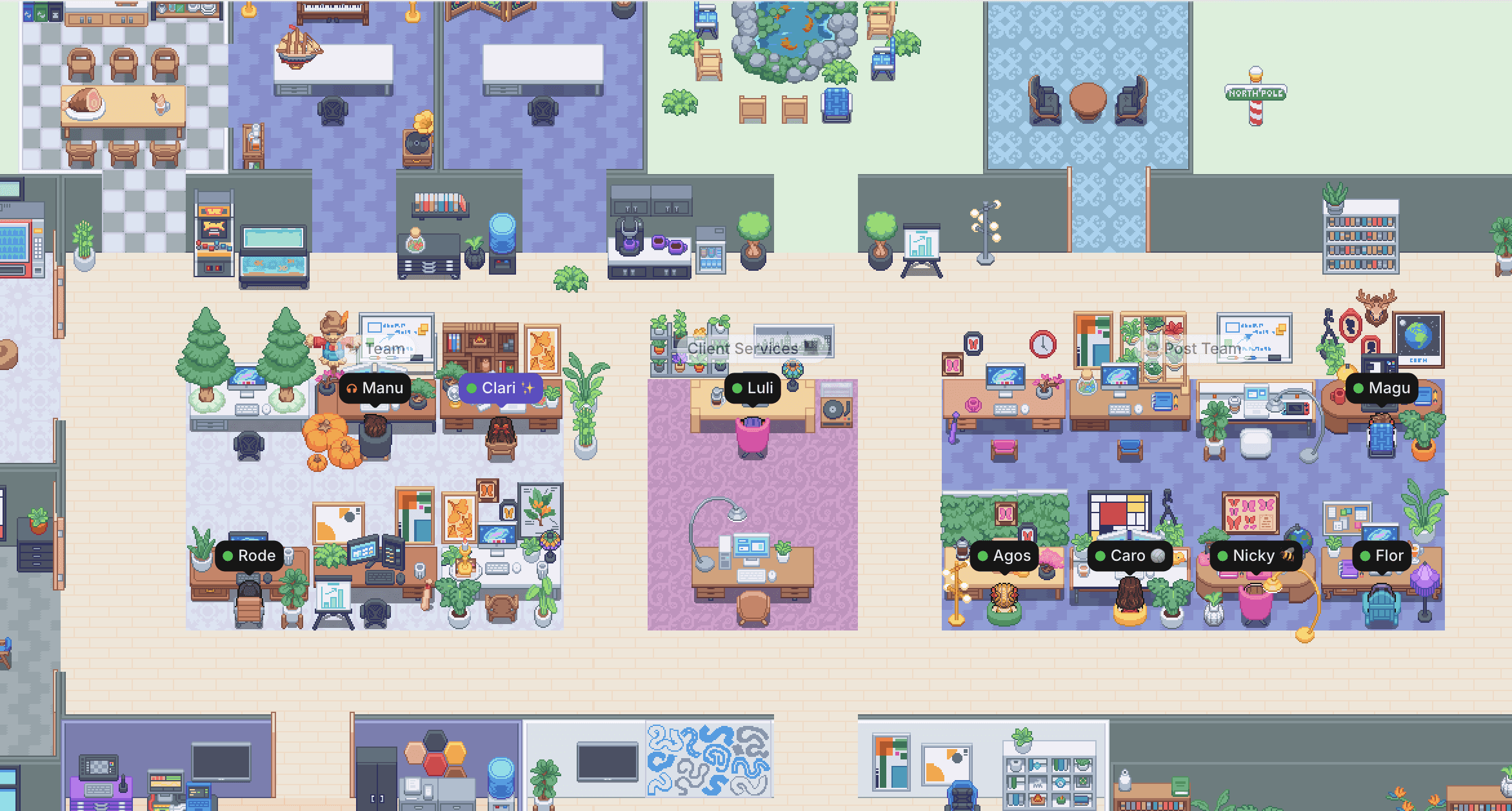
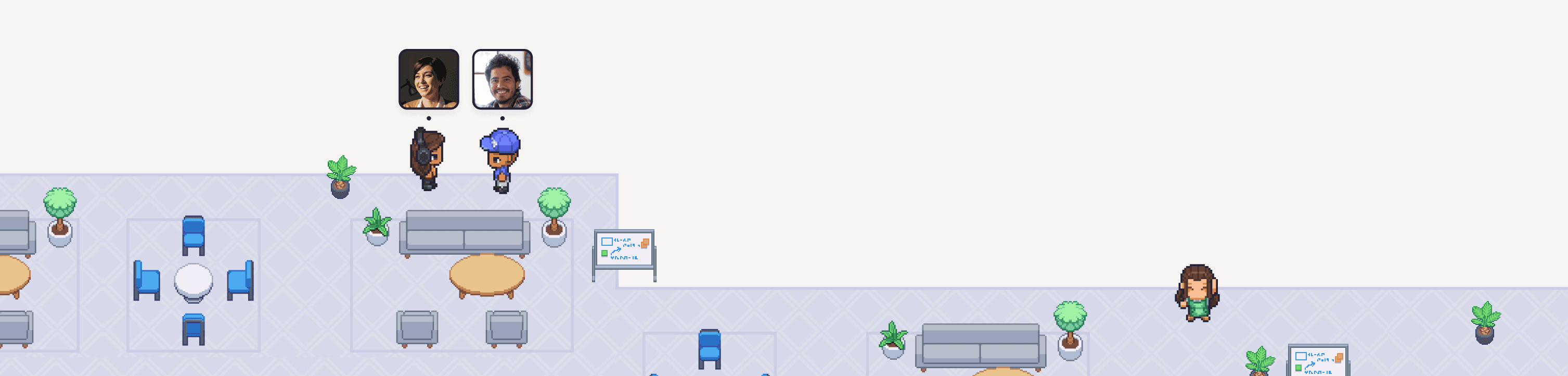
Discord is great for community chat. Gather is built for every moment of your workday: standups, pair-ups, brainstorms, and hallway chats. Collaborate like you’re in person, no matter where you’re at.
Discover the best virtual workspace for remote teams
Discord is great for community chat. Gather is built for every moment of your workday: standups, pair-ups, brainstorms, and hallway chats. Collaborate like you’re in person, no matter where you’re at.
Discover the best virtual workspace for remote teams
Discord is great for community chat. Gather is built for every moment of your workday: standups, pair-ups, brainstorms, and hallway chats. Collaborate like you’re in person, no matter where you’re at.
Discover the best virtual workspace for remote teams
Discord is great for community chat. Gather is built for every moment of your workday: standups, pair-ups, brainstorms, and hallway chats. Collaborate like you’re in person, no matter where you’re at.
How is Gather different from Discord?
Discord is built for gaming and community chat. Gather is a virtual office built for remote work, where distributed teams can meet, chat, and interact like they're in person. See who's around, jump into conversations, and collaborate without ever scheduling a call. Teams typically switch to Gather when they need a more formal meeting tool but still want to keep a fun workspace.
How is Gather different from Discord?
Discord is built for gaming and community chat. Gather is a virtual office built for remote work, where distributed teams can meet, chat, and interact like they're in person. See who's around, jump into conversations, and collaborate without ever scheduling a call. Teams typically switch to Gather when they need a more formal meeting tool but still want to keep a fun workspace.
How is Gather different from Discord?
Discord is built for gaming and community chat. Gather is a virtual office built for remote work, where distributed teams can meet, chat, and interact like they're in person. See who's around, jump into conversations, and collaborate without ever scheduling a call. Teams typically switch to Gather when they need a more formal meeting tool but still want to keep a fun workspace.
<10 minutes
The average length of a Gather conversation. Quick check-ins stay quick.
Up to 70%
The engagement lift distributed teams see by collaborating on Gather day-to-day.
Up to 80%
Fewer chat messages for teams who use Gather for quick, spontaneous conversations.
Gather
Discord
Summary
Best for
Remote teams’ daily work: meetings, pairing, culture
Community and gaming voice and chat
Starting price
First 30 days free, then $12/member/month (billed annually)
Free, with optional paid tiers for servers/creators
Calendar-synced meetings
Yes, connects to Google Calendar
No native calendar integration
Visual presence & spatial audio
Yes, see who's around & walk up to start talking in seconds
No native calendar integration
Feature comparison
Persistent virtual office
Yes, a walkable space your team customizes
No, organized by text/voice channels
Presence awareness
Yes, glance to see who's free/busy
Limited, status shows on/offline
Spatial audio
Yes, onversations get louder as you walk closer, fade as you step away
No, voice channels are all-or-nothing, no proximity
Ambient, walk-up conversations
Yes, hear what's nearby and join with a click
No, must join channels deliberately
Spatial audio
Yes, a walkable space your team customizes
No, organized by text/voice channels instead of a visual office
Formal meetings
Yes, schedule, record, share screens, and get AI meeting summaries
Sort of, screen share and voice call pending region
Office customization
Decorate for holidays, expand your space by clicking and dragging
No visual space to personalize
Interactive objects, whiteboards, games
Yes, walk up to objects to open in Gather (no window switching)
Must be custom built with bots and integrations
"Gather makes you find moments of fun. It’s elevated our game in terms of keeping the team connected, even if you’re not in the same place."

Clara Daray
Co-Founder, Pegasus Content, a creative content agency based in Buenos Aires
"Gather makes you find moments of fun. It’s elevated our game in terms of keeping the team connected, even if you’re not in the same place."
Clara Daray
Co-Founder, Pegasus Content, a creative content agency based in Buenos Aires
The first 30 days are on us
Try Gather 2.0 free with your team. No credit card. No setup fees.
2 Minutes
Choose & configure your space
1 Click
Invite your team
Immediately
Start collaborating
The first 30 days are on us
Try Gather 2.0 free with your team. No credit card. No setup fees.
2 Minutes
Choose & configure your space
1 Click
Invite your team
Immediately
Start collaborating
The first 30 days are on us
Try Gather 2.0 free with your team. No credit card. No setup fees.
2 Minutes
Choose & configure your space
1 Click
Invite your team
Immediately
Start collaborating
FAQs
Does Gather have screen sharing and live video like Discord?
Yes, Gather supports screen sharing in both casual and scheduled meetings, as well as recording and AI meeting transcripts and summaries. To start conversations, you can schedule formal meetings or walk up to someone and start talking right away.
Is Gather better than Discord for remote team meetings?
It depends. Gather is designed specifically to support remote teams' workdays with calendar-synced meetings, screen sharing, AI meeting summaries, and a visual space that shows when teammates are around. Discord is great for open, informal community chat, but it lacks features better suited to day-to-day business collaboration.
How do quick check-ins work in Gather?
Glance at your virtual office to see who's free, then walk over to a teammate's desk to start a conversation — no link or invite needed. Talk it through, share your screen if you need to, and wrap up when you're done. The average Gather conversation is less than 10 minutes.
How do I move my team from Discord to Gather?
Easy! Get started with our free 30-day trial to see if Gather is right for your team. It takes less than 10 minutes to set up your virtual office. You can invite teammates right away or take extra time to customize your workspace.
For our best onboarding tips, check out our pilot guide.
Still have questions?
FAQs
Does Gather have screen sharing and live video like Discord?
Yes, Gather supports screen sharing in both casual and scheduled meetings, as well as recording and AI meeting transcripts and summaries. To start conversations, you can schedule formal meetings or walk up to someone and start talking right away.
Is Gather better than Discord for remote team meetings?
It depends. Gather is designed specifically to support remote teams' workdays with calendar-synced meetings, screen sharing, AI meeting summaries, and a visual space that shows when teammates are around. Discord is great for open, informal community chat, but it lacks features better suited to day-to-day business collaboration.
How do quick check-ins work in Gather?
Glance at your virtual office to see who's free, then walk over to a teammate's desk to start a conversation — no link or invite needed. Talk it through, share your screen if you need to, and wrap up when you're done. The average Gather conversation is less than 10 minutes.
How do I move my team from Discord to Gather?
Easy! Get started with our free 30-day trial to see if Gather is right for your team. It takes less than 10 minutes to set up your virtual office. You can invite teammates right away or take extra time to customize your workspace.
For our best onboarding tips, check out our pilot guide.
Still have questions?
FAQs
Does Gather have screen sharing and live video like Discord?
Yes, Gather supports screen sharing in both casual and scheduled meetings, as well as recording and AI meeting transcripts and summaries. To start conversations, you can schedule formal meetings or walk up to someone and start talking right away.
Is Gather better than Discord for remote team meetings?
It depends. Gather is designed specifically to support remote teams' workdays with calendar-synced meetings, screen sharing, AI meeting summaries, and a visual space that shows when teammates are around. Discord is great for open, informal community chat, but it lacks features better suited to day-to-day business collaboration.
How do quick check-ins work in Gather?
Glance at your virtual office to see who's free, then walk over to a teammate's desk to start a conversation — no link or invite needed. Talk it through, share your screen if you need to, and wrap up when you're done. The average Gather conversation is less than 10 minutes.
How do I move my team from Discord to Gather?
Easy! Get started with our free 30-day trial to see if Gather is right for your team. It takes less than 10 minutes to set up your virtual office. You can invite teammates right away or take extra time to customize your workspace.
For our best onboarding tips, check out our pilot guide.
Still have questions?