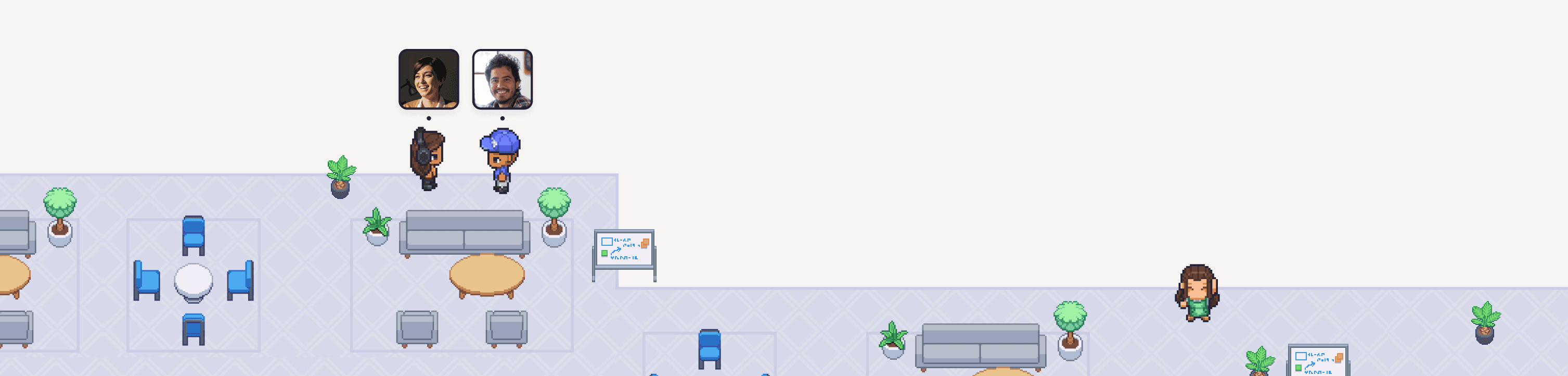
Gather recently released Smart Objects, which connect to other apps via webhooks and update dynamically in Gather. For example, a paper inbox that stacks up as PRs get assigned or a lightbulb that turns on when an incident hits.
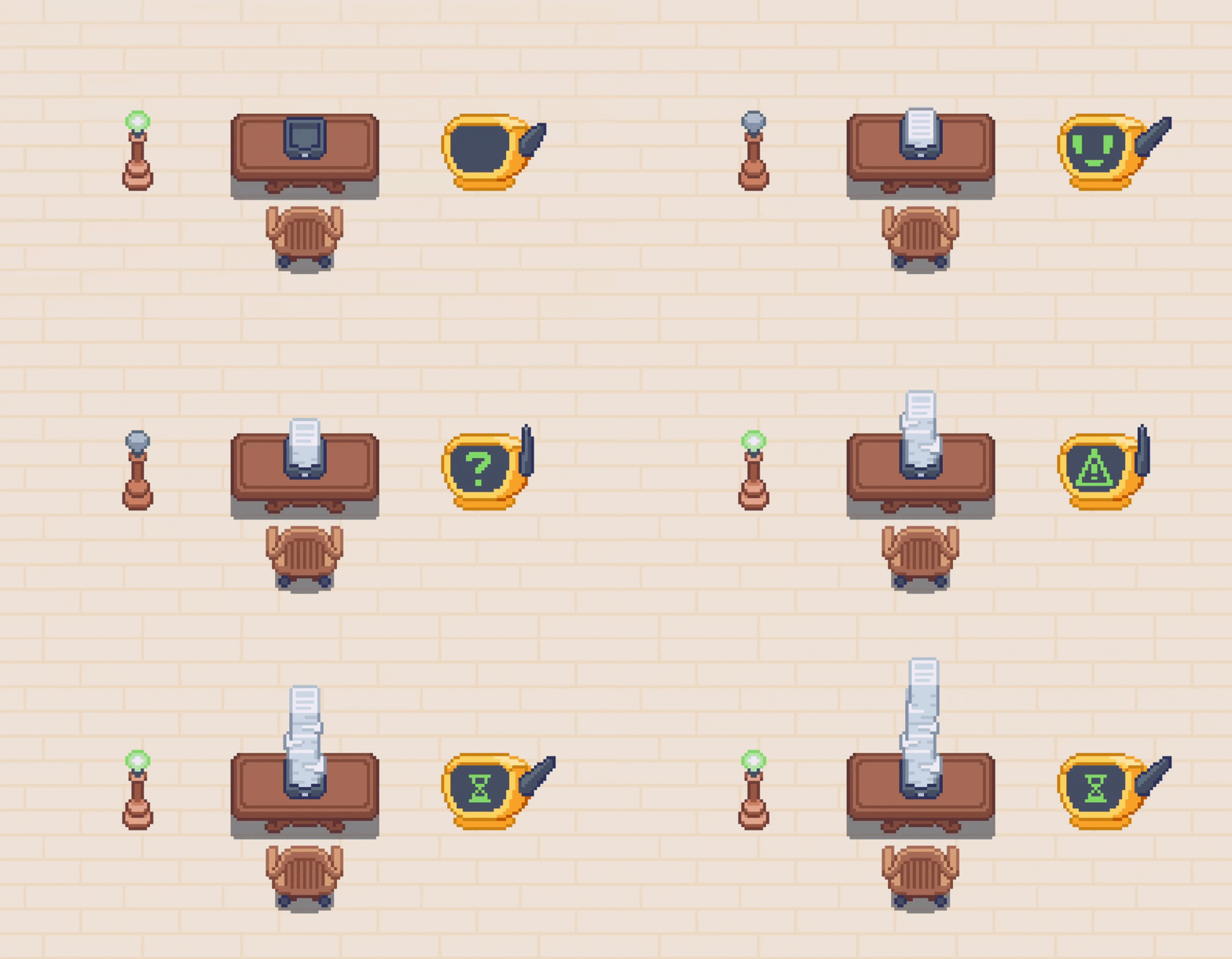
An example of all three Smart Objects available in Gather virtual offices: the Lightbulb, Inbox, and Bot Monitor.
We’re excited about Smart Objects because they unlock so many more opportunities to customize your virtual office and bring helpful context into your workspace. They’re the perfect blend of practical and fun (just like Gather!).
We also understand that the limitless potential of a feature like Smart Objects can be a bit overwhelming. When you can run custom scripts and connect to almost anything, what do you actually do with Smart Objects?
So, we went straight to the best source we know: the Gather users who jumped right in and started building!
To help you get started, here are 7 ideas you can build using Smart Objects:
An Inbox of Team PRs
An Inbox of HubSpot Help Desk Tickets
An Inbox with Asana “To Do” Items
An Inbox Displaying Sentry Issues
Multiple Lightbulbs to Create A Dot Matrix Text Display
A Bot Monitor Displaying Upcoming Marketing Events on Luma
A Bot Monitor for Azure DevOps Pipelines
An Inbox of Team PRs
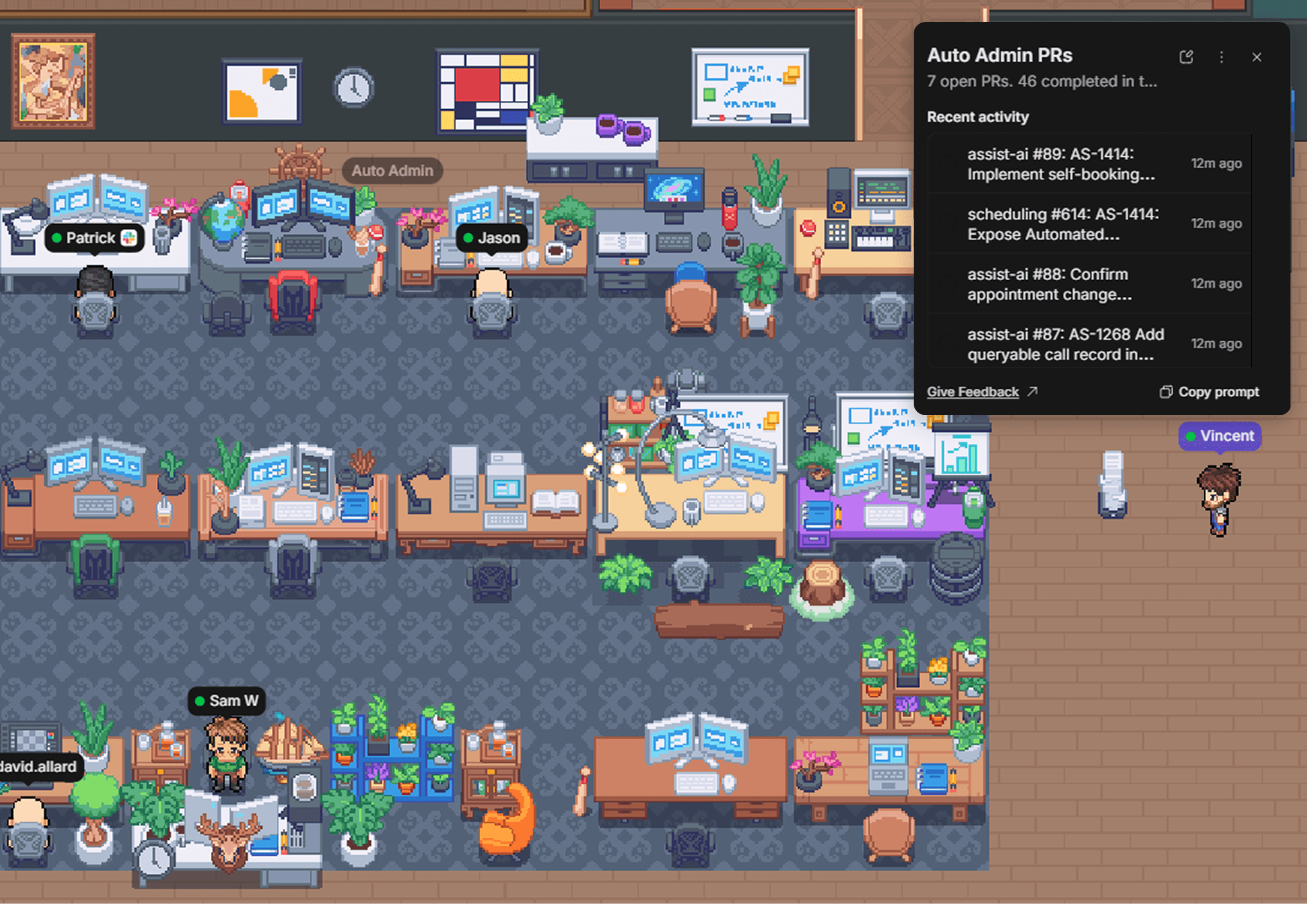
Submitted by Vincent Van Moppes from DrDoctor.
At DrDoctor, a distributed team powering hybrid healthcare, they typically assign PRs to an entire team instead of individuals. To give everyone a view into the review stack, Vincent Van Moppes, a Senior Backend Engineer, added a Smart Inbox near their team area. The Activity Feed shows the list of PRs, so they can quickly click through to view more details and complete the review.
Apps to try it with: GitHub, Linear
An Inbox of HubSpot Help Desk Tickets
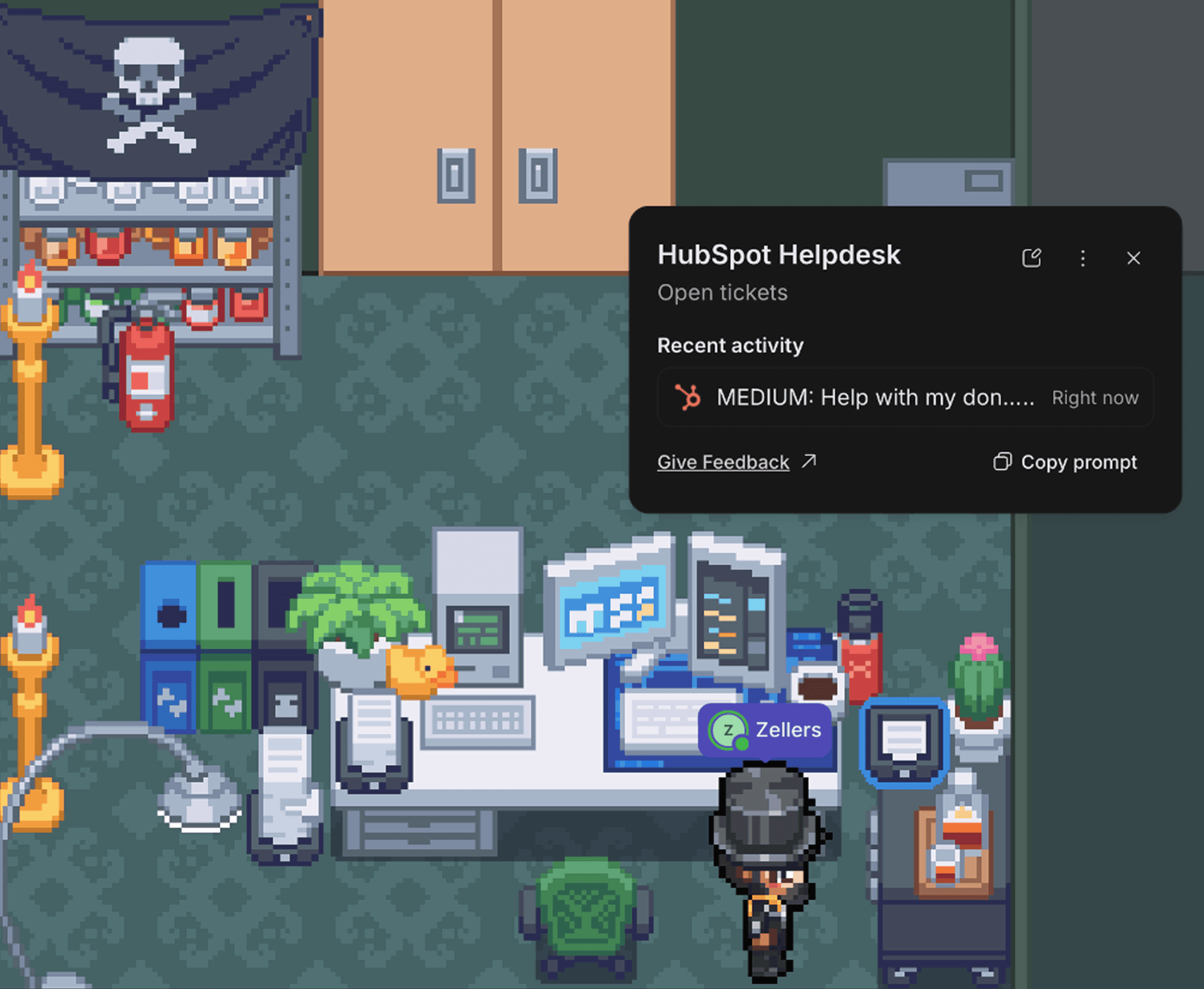
Submitted by Daniel Zeller from Square Wave.
Daniel Zeller from Square Wave wanted a better way to see HubSpot ticket volume at a glance. He added a Smart Inbox to his Gather desk and connected it to HubSpot, so now he can get a pulse on the queue without switching tabs.
Apps to try it with: HubSpot Help Desk, Zendesk, Intercom, Pylon
An Inbox with Asana “To do” Items

Submitted by Daniel Zeller from Square Wave.
Daniel Zeller added a second Smart Inbox to his desk, this one connected to Asana. It displays items on his “To Do” list, so he always knows which projects have upcoming deadlines. Having each item in the Activity Feed makes it easy to click through to each task for more context.
Apps to try it with: Asana, Trello, Basecamp, Monday.com
An Inbox Displaying Sentry Issues
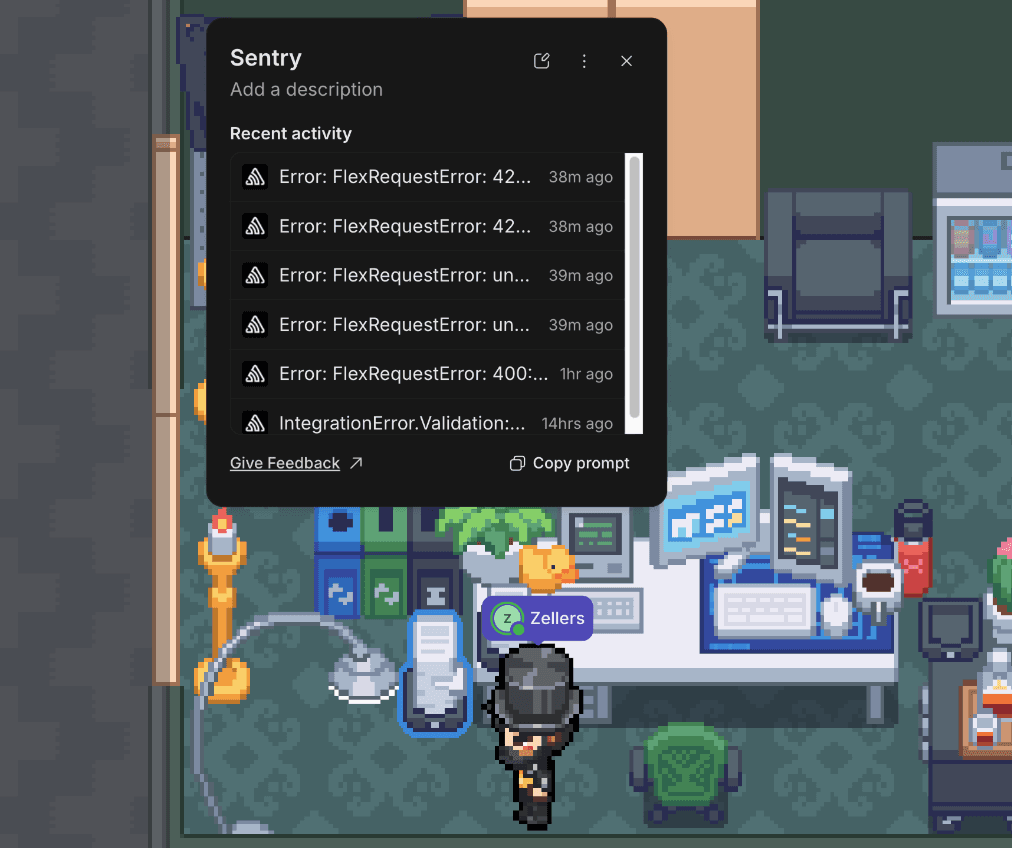
Submitted by Daniel Zeller from Square Wave.
To complete his virtual desk setup, Daniel Zeller added a final Smart Inbox to display Sentry issues. Now, in a single glance, he can see what’s piling up: HubSpot Help Desk tickets, Asana tasks, or Sentry issues. He can jump into whichever tool is most pressing, and teammates can get a sense of how busy his day is about to be.
Apps to try it with: Sentry, Datadog, New Relic, Grafana
Multiple Lightbulbs to Create A Dot Matrix Text Display
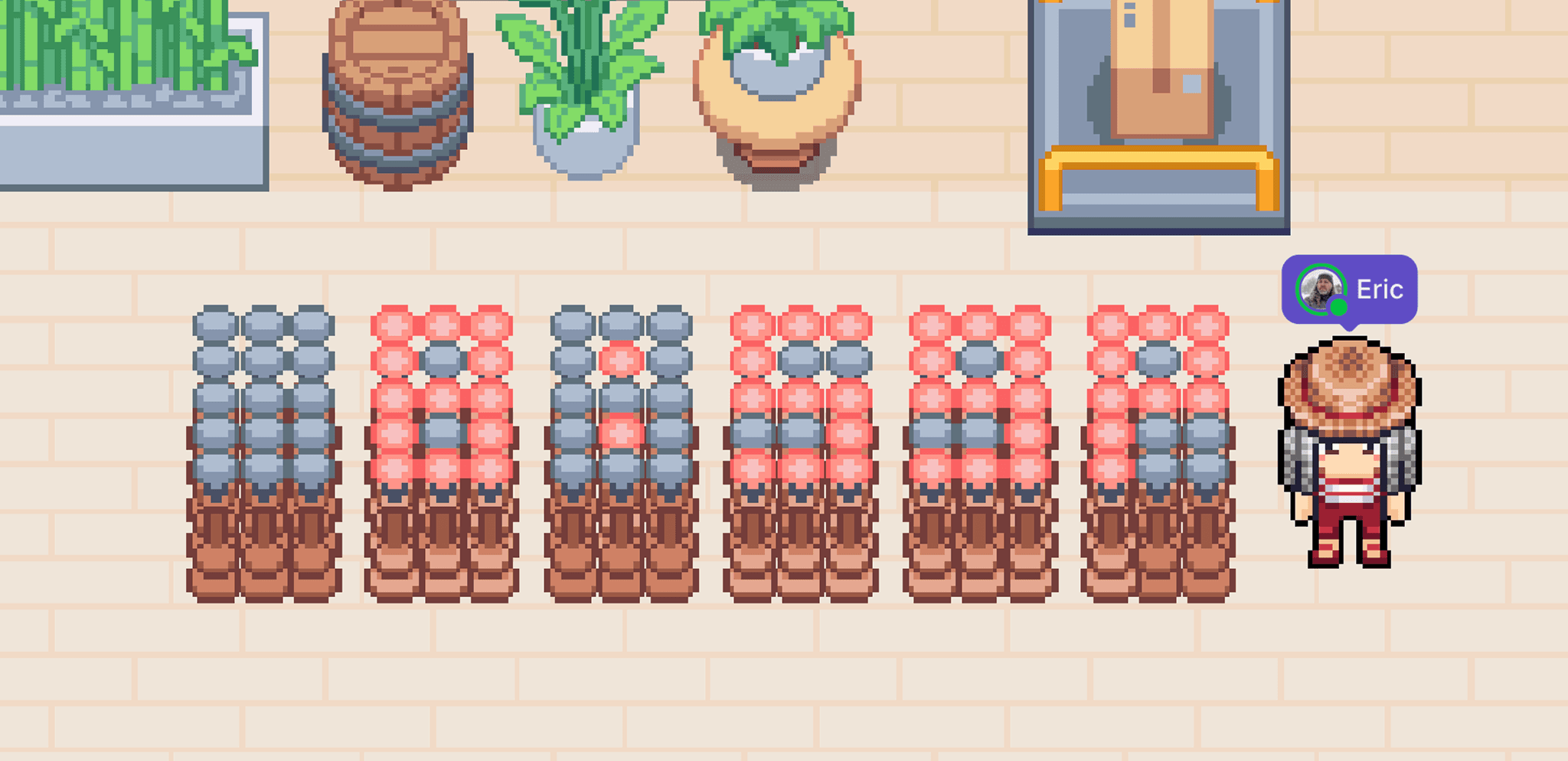

Submitted by Eric Eubank, a Senior Full Stack Developer from CharacterStrong.
Light up your virtual office by creating a dot-matrix text display with a bunch of Smart Lightbulbs. 90, to be exact, in Eric’s case! He shared two examples with us: one spelling out the time, 8:59 pm, and the other spelling “Gather.” We love this as a way to personalize the space and leave special messages for your teammates.
Ideas for words to spell out:
Company values
KPIs
Project names
Teammates’ names (think: Who’s on call, who’s at the top of the sales leaderboard, etc.)
A Bot Monitor Displaying Upcoming Marketing Events on Luma
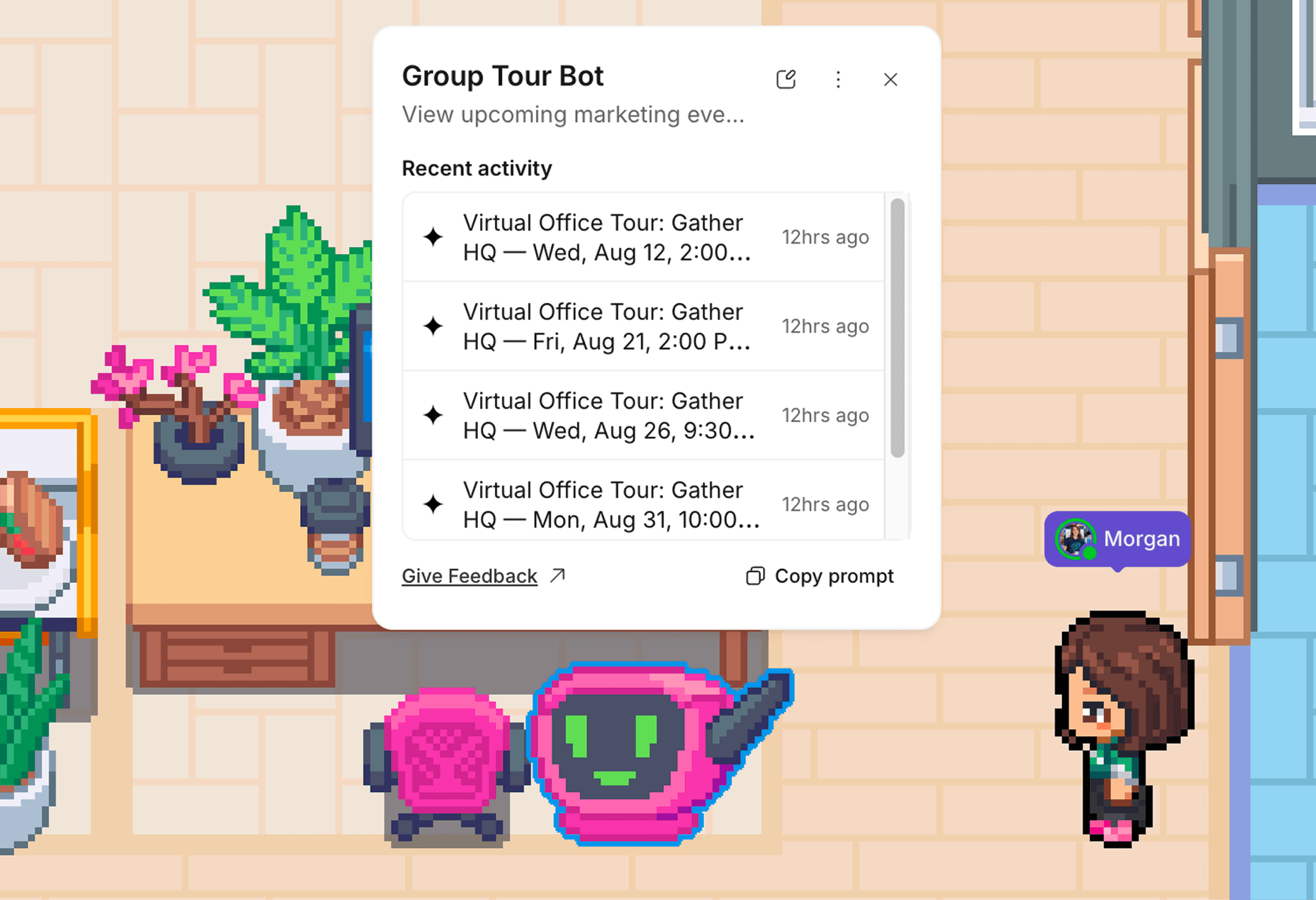
A Bot Monitor in Gather HQ that displays upcoming marketing events on Luma.
Alright, this one is technically from me (a member of the Gather team), but I’m pretty excited about the use case and wanted to share! I have the privilege of hosting virtual tours of Gather’s very own Gather office. (You can view upcoming sessions here.)
To help my teammates see whether there’s a tour each day and to make it easy for me to keep up with the schedule, I connected a Bot Monitor to our event platform, Luma. The monitor screen smiles on days with a tour and stays blank on days without. Clicking it shows the upcoming schedule.
You could switch it up by showing a demo schedule, team social events, All Hands, etc.
Apps to try it with: Luma, Calendly, Livestorm, Google Calendar
A Bot Monitor for Azure DevOps Pipelines
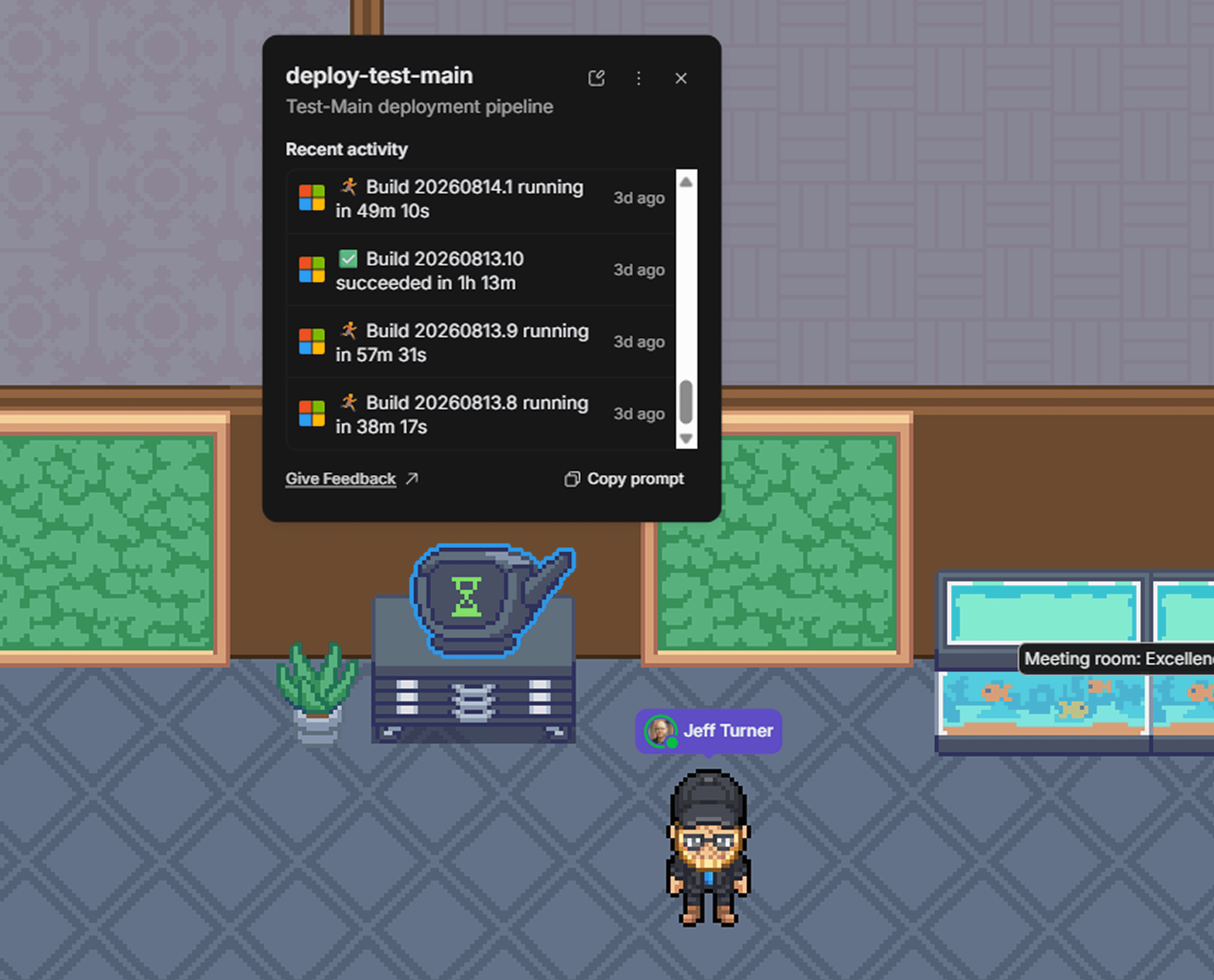
Submitted by Jeff Turner, Director of Engineering at FMX.
Jeff Turner, Director of Engineering at FMX, added a Smart Bot Monitor to their virtual office that serves as a build radiator for his team's Azure DevOps pipelines. It displays upcoming runs, recently completed runs, and each run's duration. Now, every developer on the team can check the bot for a quick summary.
Getting Started
Smart Objects are available in the Decorator for every team on Gather 2.0. Add one to your virtual office, then set it up with the Smart Objects SDK or one of the example scripts on GitHub. Or if you'd rather skip the setup entirely, click the object after placing it, hit "Copy prompt," and hand the instructions to your AI partner of choice to wire it up for you. (That’s my preferred method.)
Once you’ve built something, grab a screenshot and tag us on LinkedIn, X, or Instagram. We’d love to see it (and maybe even share it!)
New here? We’re Gather, the virtual office where remote teams can meet, chat, and interact like they’re in person. See who’s around, join conversations without scheduling a thing, and create a space that’s as unique as your team.
Most remote collaboration tools are built for meetings. Gather is built for the moments in between. Try it free for 30 days.