Quick answer
Gather is the more complete virtual office for remote teams: AI meeting notes, live app status, Webhook objects, and integrations like GitHub and Spotify are included in every plan, all at a lower price.
Kumospace is a simpler, pricier alternative, with a realistic photo-style look, HIPAA compliance, and stronger tools for webinar-style events.
If you want an office with personality and more included for less, we think you’ll love Gather. If realism is the priority, or you’re hosting webinar-style events, Kumospace is a strong choice.
A day in Gather vs. a day in Kumospace
It's 9:15 on a Tuesday.
With Gather, you open your team's personalized office. Someone decorated for fall, so a pumpkin sits by your desk. Statuses show who's doing what: one teammate is mid-flow, shipping GitHub PRs, so you leave them to it. You start a coworking session. The team drops in, and someone puts on a Spotify playlist. Later, a wave from across the office pulls you over to a teammate's desk for a quick question. You pull up the built-in AI summary from yesterday's meeting to answer. You haven’t scheduled a thing. It just feels like being on a team.

With Kumospace, you open your space and see teammates as photo avatars in a realistic-looking office. You walk toward a group, their voices get louder as you get closer, and you join the conversation. When it's time for a scheduled call, you walk into a closed-door room. When the meeting ends, you return to your desk. It's a simple way to connect.

Same goal, different feel. Kumospace keeps it simple and realistic. Gather adds personality, plus AI summaries, live app status, and integrations that fit into your day.
What is Kumospace?
Kumospace is a spatial virtual office with a realistic, photo-style look. Teammates appear as photo avatars, and you move around a lifelike space to start conversations with spatial audio.
Beyond the office itself, Kumospace leans into events and large-format gatherings, with webinar and virtual event tools alongside team chat, whiteboards, and recording. Its screen share tools are strong, including Participant Pointer and remote screen control, and it offers closed captioning. There's a limited free plan for small teams, plus paid Business and Enterprise plans.
What is Gather?
If you're new here, Gather is a virtual office where remote teams can work, chat, and interact like they're in person. See who's around, join conversations without scheduling a thing, and create a space that's as unique as your team.
Our features include work-critical tools like instant meetings, persistent chat, AI meeting notes and summaries, and calendar syncing, plus fun features like personal desks, avatar customization, seasonal objects, and a Spotify integration.
In practice, Gather teams have seen up to 80% fewer Slack messages and Google Meet calls, up to a 70% lift in engagement, and quick calls that average under 10 minutes.
Our mission is to create the most delightful, energizing, and purposeful way for remote teammates to interact online.
How are Kumospace and Gather similar?
Both platforms are built on the same idea: your distributed team should feel present with each other all day, not just on scheduled calls. Gather and Kumospace both offer:
Spatial audio: hear nearby conversations the way you would in a real office
Click-to-join conversations: walk up and talk, no calendar invite required
Screen sharing and recording: for meetings that need a little more structure
Chat: channels, group DMs, and threads
Customizable offices: multiple floors, furniture and decor, and interactive games and whiteboards
Statuses: let teammates know if you're available, away, or focusing
Mobile and desktop apps: Kumospace offers both today; Gather has a desktop app, and the mobile app is currently in beta
Remote and hybrid teams lose something when they have to schedule every interaction. Both platforms bring back a sense of "being in the office together."
How are Kumospace and Gather different?
1. Price: Gather is 25% cheaper than a Kumospace subscription
Gather is 25% cheaper than Kumospace on both monthly and annual plans. Even month-to-month, Gather ($15/member) costs less than Kumospace's annual plan ($16/member/month), so you don't have to lock in for a year to save.
Gather | Kumospace | |
|---|---|---|
Monthly plan | $15/member/month | $20/user/month |
Annual plan | $12/member/month | $16/user/month (5-member minimum) |
Free trial | 30 days, no credit card | 14 days |
What that looks like for a team of 20:
Monthly plans: $300/month on Gather vs. $400/month on Kumospace, about $1,200 a year back in your budget
Annual plans: $240/month (billed annually) on Gather vs. $320/month (billed annually) on Kumospace, about $960 a year back in your budget
2. The Kumospace free plan vs. the Gather free trial
Kumospace has a limited free plan, and it's a nice way for a small crew to try a virtual office. It covers up to 5 members, 1 floor, basic chat, and a public space, so you'll want to upgrade once your team grows.
Gather doesn't offer a free plan; instead, you get a full 30-day free trial of every feature for your whole team. That includes AI notes and transcriptions, unlimited calls and chat, every integration, and full customization. No credit card required.
3. Look and vibe
This is the difference you'll feel right away, and it's mostly a matter of taste.
Kumospace goes for realism: a lifelike office with photo avatars. If you want your virtual office to look like an office and see your teammates' faces, that is the appeal.
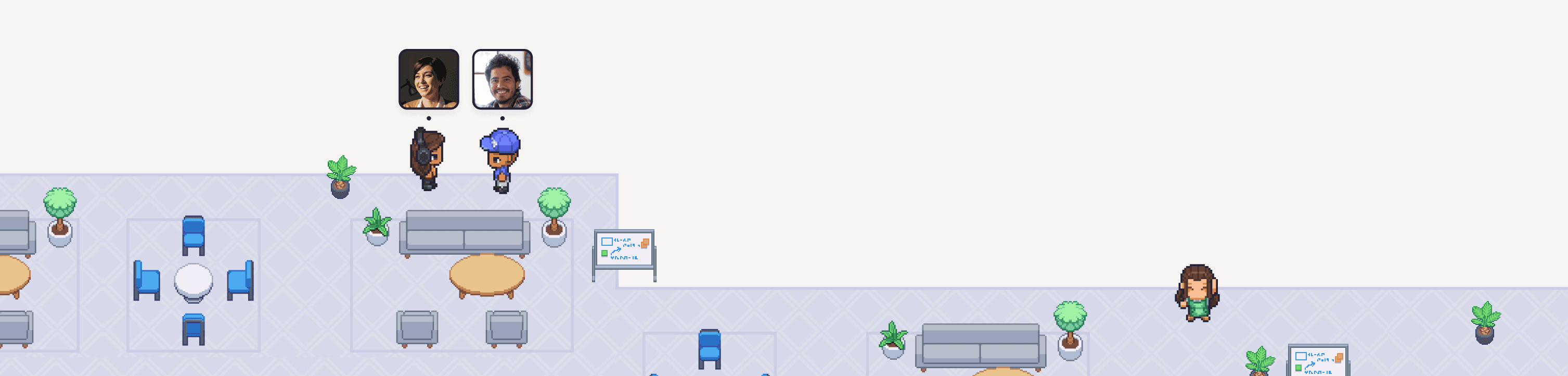
Gather goes for personality: playful pixel art where your team can show off who they are. Customize your avatar, decorate your own desk, place 200+ objects, swap in seasonal decor, and dance or throw confetti when there's something to celebrate. And if you're not into the pixel-perfect details, Simplified View gives you a minimal office.
Some teams love the lifelike look. Others love the pixel-art charm. Try both and see which one your team gravitates toward.
4. Large office support
Gather offices can hold up to 100 people per floor, with up to 5 Floors. Our starter templates go up to 100 people, so a larger team can get started without building from scratch.

Example of an 81- 100-sized template in Gather.
Kumospace’s largest starter template is for teams of 26+, with each Floor limited to 50 people. Floors are unlimited, but your team will be more spread out across levels.

Example of a 26+ sized template in Kumospace.
5. AI meeting notes and transcripts
Gather includes AI meeting notes and transcripts, so nobody has to play secretary after a call. Kumospace doesn't offer AI meeting notes or transcripts, though it does have recording and live captions.
6. Integrations
Gather's integrations include Google Calendar, Outlook (Coming Soon), a Chrome extension, GitHub, and Spotify, so your office connects to how your team already works (and what they listen to while they do it). Live App Status puts an icon next to your name when you're working in apps like GitHub, Figma, Spotify, or Notion, so teammates know what you're up to without asking. And when you're on an external call, Gather switches you to Busy automatically (it picks up links like Zoom and Google Meet), and anyone on the same call can join you in your Gather meeting room.
Not on the list? Build it with Smart Objects (webhook objects). These interactive objects bring context from outside tools into Gather, so everyone in the space can see the same live updates and activity feeds.
Kumospace integrates with Google Calendar, Outlook Calendar, and Microsoft Teams. The Teams integration updates your status when you join an external call.
7. Screen sharing and captions
Both Gather and Kumospace support simultaneous screen sharing. Kumospace includes additional features like participant pointers and remote screen control. On captions, Kumospace offers live captions, while Gather offers post-meeting transcripts and AI notes.
Feature comparison
Overview
Feature | Gather | Kumospace |
|---|---|---|
Monthly price | ✅ $15/member/month | $20/user/month |
Annual price | ✅ $12/member/month | $16/user/month (5-member minimum) |
Free plan | ❌ No | ⚠️ Yes, up to 5 members, limited features |
Free trial | ✅ Yes, 30 days | ✅ Yes, 14 days |
Proximity/spatial audio | ✅ Yes | ✅ Yes |
Workspace
Feature | Gather | Kumospace |
|---|---|---|
Look and feel | Playful pixel art, plus Simplified View | Realistic, photo-style |
Avatars | Customizable avatars | Photo avatars |
Office editor | ✅ Yes, layout and decorations | ✅ Yes, layout and furniture |
Starter templates | ✅ 4 themes, sizes up to 100 people | ⚠️ 3 themes, largest size 26+ people |
Multiple office floors | ✅ Yes, up to 100 people each | ✅ Yes. up to 50 people each |
Private spaces | Private rooms and desks | Private rooms and desks |
Embedded games | ✅ Yes | ✅ Yes |
Seasonal decor | ✅ Yes | ✅ Yes |
Avatar animations (dance, confetti) | ✅ Yes | ❌ No |
Meetings & collaboration
Feature | Gather | Kumospace |
|---|---|---|
Click-to-join conversations | ✅ Yes | ✅ Yes |
Simultaneous screen share | ✅ Yes | ✅ Yes |
Meeting recording | ✅ Yes | ✅ Yes |
AI meeting notes & transcripts | ✅ Yes | ❌ No |
Chat (channels, DMs, threads) | ✅ Yes | ✅ Yes |
Interactive whiteboards | ✅ Yes | ✅ Yes |
Coworking sessions with music | ✅ Yes | ❌ No |
Webinar events | ⚠️ Not our focus | ✅ Yes |
Participant Pointer & remote screen control | ❌ No | ✅ Yes |
Closed captioning | ❌ No | ✅ Yes |
Integrations & security
Feature | Gather | Kumospace |
|---|---|---|
Google Calendar | ✅ Yes | ✅ Yes |
Chrome extension | ✅ Yes | ✅ Yes |
Outlook | ⚠️ Coming soon | ✅ Yes |
GitHub | ✅ Yes | ❌ Not listed |
Spotify | ✅ Yes | ❌ Not listed |
Live app status (GitHub, Figma, Spotify, Notion & more) | ✅ Yes | ❌ Not listed |
Status sync for external meetings | ✅ Yes (Zoom, Google Meet & more) | ✅ Yes (Microsoft Teams) |
SSO | ✅ Yes | ✅ Yes |
HIPAA compliance | ❌ No | ✅ Yes |
Mobile app | ✅ In beta | ✅ Yes |
Build with webhooks | ✅ Yes, Smart Objects | ❌ No |
What reviewers say
Both platforms are well liked on G2. Gather holds a 4.8 rating across 365 reviews, and Kumospace sits at 4.7 across 263. As of October 2026, Kumospace hasn't received a new G2 review all year.
Who should choose Kumospace?
Teams who want a realistic, photo-style office with photo avatars
Teams who need HIPAA compliance
Teams who run a lot of webinars, or lean on advanced screen sharing and closed captioning
Who should choose Gather?
Teams who want a playful, fully customizable office that shows off their company culture, with starter templates for up to 100 people
Teams who want to spend less per member, month-to-month or annually
Teams who want AI meeting notes and transcripts built in, plus integrations such as GitHub, Spotify, and a Chrome extension
Teams who want an office that's easy for everyone to pick up and enjoy
FAQs
Is Kumospace free?
Kumospace has a free plan for up to 5 members. Paid plans start at $16/user/month billed annually, or $20/user/month billed monthly. Gather doesn't have a free plan, but you can try everything free for 30 days, no credit card required.
Is Gather cheaper than Kumospace?
Yes. Gather's monthly plan ($15) costs less than Kumospace's monthly plan ($20) and even its annual plan ($16). Gather's annual plan ($12) is 25% less than Kumospace's annual plan.
Does Kumospace have spatial audio like Gather?
Yes. Both platforms have spatial audio, so the biggest difference is how each office looks and feels. They also offer different features and integrations.
How do I switch from Kumospace to Gather?
Start a free 30-day trial, invite your team, and set up your office in a couple of minutes. Our pilot guide walks you through it. Moving a large team? Contact our sales team and we'll help you plan the move.
Which virtual office is better: Kumospace or Gather?
Both are great virtual offices. Teams who prefer a realistic look, or who need HIPAA, Outlook, or advanced screen sharing, tend to pick Kumospace. Teams who want a playful, personal office, AI meeting notes, and a lower price tend to pick Gather.