Quick answer
Gather is the best virtual office for teams that want a workplace with personality. It's a digital place with shared rituals, tools your team already uses, and a predictable per-member price.
Cosmos is a good alternative for small communities and cohorts, or for groups that need a free plan to get started.
If you want a place where your remote team can work and have fun together every day, we think you'll love Gather. If you're looking for a simpler workspace for smaller groups, Cosmos is worth a look.
A day in Gather vs. a day in Cosmos
It's 9:15 on a Tuesday.
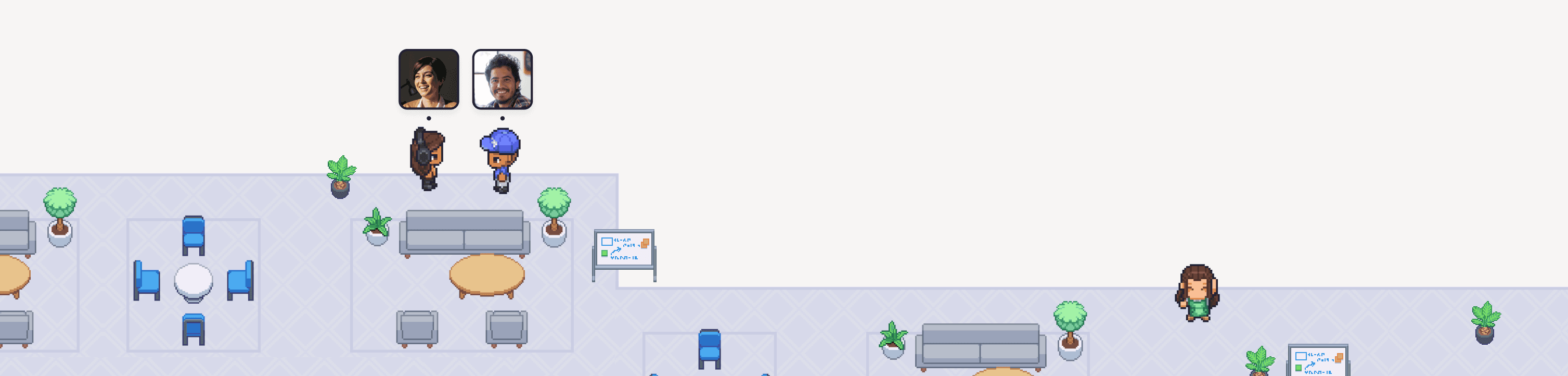
With Gather, you open your team's personalized office. Someone decorated for the season, so a present sits by your desk. You start a coworking session. A few teammates drop in, and someone adds a Spotify Jam so everyone's listening to the same playlist. Later, a wave from across the office pulls you over to a teammate's desk for a quick question. It feels as fluid as working together in person.

With Cosmos, you open your space to see your teammates on a plain floor plan. You click to head over to a teammate, start a conversation, and return to your spot when you're done. Between meetings, someone starts a round of trivia. It's tidy and easy to get started.

Both platforms share the same goal of bringing people closer together online. The biggest difference is in how they feel, and how they connect to your existing workflow.
What is Cosmos?
Cosmos is a virtual office and video platform built for online communities, cohort-based learning, and remote teams.
In a Cosmos space, people appear on a floor plan you can build from templates, in a Minimal or Vibrant style. It includes group chat, recordings with AI transcriptions, live captions, a library of built-in games, and native iOS and Android apps. There's a free plan for up to 4 people online at once, plus paid Premium and Enterprise plans.
What is Gather?
If you're new here, Gather is a virtual office where remote teams can work, chat, and interact like they're in person. See who's around, join conversations without scheduling a thing, and create a space that's as unique as your team.
Our features include work-critical tools like instant meetings, persistent chat, AI meeting notes and summaries, and calendar syncing, plus fun features like personal desks, avatar customization, seasonal objects, and a Spotify integration.
In practice, Gather teams have seen up to 80% fewer Slack messages and Google Meet calls, up to a 70% lift in engagement, and quick calls that average under 10 minutes. Gather is trusted by over 5,000 distributed teams.
Our mission is to create the most delightful, energizing, and purposeful way to interact with remote teammates online.
How are Cosmos and Gather similar?
Both platforms are built on the same idea: your remote team should feel present with one another at all times, not just during scheduled calls. Gather and Cosmos both offer:
A persistent virtual office: a place your team returns to every day, with a floor plan you can build using templates.
Two ways to move: use your keyboard or click.
Click-to-join conversations: head over to a teammate to talk. No calendar invite required.
Meeting rooms: with screen sharing, recording, and AI transcripts.
Chat: channels, DMs, and threads, so quick questions don't need a call.
Whiteboards and calendar sync: including Google Calendar.
Statuses: so teammates know when you're free, busy, or away.
Shared music and watching: Cosmos lists a space radio and YouTube co-watching, and Gather has coworking sessions where you can add a Spotify Jam link for everyone to listen together.
Games and ways to celebrate: Both offer built-in games to play together and fun ways to celebrate as a team
Gather and Cosmos both bring back some of that "being in the office together" feeling. They just differ in what that office feels like.
How are Cosmos and Gather different?
1. Look, feel, and personality
This is the difference you'll feel right away. Moving around works the same way in both (keyboard or click), so it comes down to the world you're moving through.
Cosmos offers two styles, Minimal and Vibrant, which you pick when you set up your space. Minimal is stripped down, with fewer colors and objects, while Vibrant is full color with the full set of objects. Whichever you pick applies to everyone, so the whole team shares the same look.
Gather goes for personality. Customize your avatar, decorate your own desk, place 200+ objects, swap in seasonal decor, and dance or throw confetti when there's something to celebrate. And if pixel art isn't your thing, Simplified View gives you a minimal office. It's a personal setting, so each person picks the view they like best, instead of an admin deciding for the whole team.

2. Integrations and Smart Objects
Gather connects to the tools your team already uses, including Google Calendar, GitHub, and Spotify. Cosmos doesn't have a Spotify or GitHub integration, but it does have Outlook and allows embedded apps. (Outlook is coming soon to Gather.)
Both platforms support webhooks, but they work differently. Cosmos webhooks post messages into Cosmos chat. In Gather, webhooks become Smart Objects: interactive objects that show live updates and context at a glance, right inside the office. They're more informative, and more fun.
3. Meetings and breakout rooms
Cosmos has native breakout rooms for splitting a call into smaller groups. Gather doesn't need them, because walking in and out of meeting rooms is part of how the office works. Anyone can step into a conversation or leave it whenever they like, and you can lock a conversation when you want privacy.
4. Screen sharing and captions
Both platforms support screen sharing. Gather's standard mode runs at 10 fps, and "Optimize for video sharing" raises that to 24 fps. Cosmos Premium goes up to 30 fps. Cosmos also offers live captions, which isn't available in Gather today.
5. Pricing: predictable per member
Gather is priced per member: $15 per member per month, or $12 per member per month billed annually. Your bill stays the same no matter who is online on a given day, which makes it easy to budget for. We moved to this model with Gather 2.0 for exactly that reason. (Gather 1.0 (Classic) is still priced by concurrent users.)
Cosmos prices by concurrent user, so your bill is based on how many people you expect to be online at once. Premium is $8.80 per user per month, or $7.70 billed annually, and Enterprise is custom. Cosmos also offers a free plan for up to 4 people online at once, while Gather offers a full 30-day free trial of every feature (no credit card required).
Feature comparison
Overview
Feature | Gather | Cosmos |
|---|---|---|
Pricing model | Per member (predictable) | Per concurrent user |
Monthly price | $15/member/month | $8.80/user/month (Premium) |
Annual price | $12/member/month | $7.70/user/month (Premium) |
Free plan | ❌ No | ✅ Yes, up to 4 people online at once |
Free trial | ✅ 30 days, no card required | ✅ 14 days, card required to start |
Ways to move | Keyboard or click | Keyboard or click |
Workspace
Feature | Gather | Cosmos |
|---|---|---|
Look and feel | Playful pixel art, plus Simplified View that each person can switch on | Minimal (stripped down) or Vibrant (full color and objects), one choice for the whole space |
Avatars | Customizable avatars that walk, dance, and throw confetti | Illustrated picture or uploaded photo |
Office editor | ✅ Yes, layout and decorations | ✅ Yes, layout and assets |
Starter template sizes | Up to 100 people | Setup flow goes up to 45+ |
Games | ✅ 9 embedded games (third-party) | ✅ 12 built-in games |
Celebration objects | ✅ Yes (an interactive gong) | ❌ Not listed |
Meetings and collaboration
Feature | Gather | Cosmos |
|---|---|---|
Click-to-join conversations | ✅ Yes | ✅ Yes |
Breakout rooms | Walk in and out of meeting rooms | ✅ Yes, native |
Meeting recording | ✅ Yes | ✅ Yes |
AI notes and transcripts | ✅ Yes | ✅ Yes |
Live captions | ❌ No | ✅ Yes |
Chat (channels, DMs, threads) | ✅ Yes | ✅ Yes |
Whiteboards | ✅ Yes | ✅ Yes |
Music and co-watching | ✅ Coworking sessions with a Spotify Jam link | ✅ Space radio and YouTube co-watching |
Integrations and apps
Feature | Gather | Cosmos |
|---|---|---|
Google Calendar | ✅ Yes | ✅ Yes |
Outlook Calendar | ⚠️ Coming soon | ✅ Yes |
GitHub | ✅ Yes | ❌ Not listed |
Spotify | ✅ Yes | ❌ Not listed |
Webhooks | ✅ Smart Objects: interactive, live at a glance | ✅ Messages posted to Cosmos chat |
SSO | ✅ Yes (Custom Plans) | ✅ Yes (Enterprise) |
Mobile app | ✅ iOS now, Android coming soon | ✅ iOS and Android |
What reviewers say
Both platforms are well liked on G2. Cosmos holds a 4.9 rating across 49 reviews, and Gather sits at 4.8 across 377. (Ratings as of November 2026.)
Who should choose Cosmos?
Small communities, cohorts, and study groups who want a free plan to get started
Teams who need live captions
Teams who like a clean, minimal look and a natively built set of 12 games
Who should choose Gather?
Teams who want a playful, fully customizable office with personal desks, expressive avatars, and a personal view mode for each teammate
Teams who want predictable per-member pricing that doesn't change with who's online
Teams who want integrations like GitHub and Spotify, plus interactive Smart Objects
Teams who want shared rituals, like coworking sessions with a Spotify Jam, games, and celebrating wins together
FAQs
Is Cosmos free?
Cosmos has a free plan for up to 4 people online at once. Paid Premium plans are $8.80 per user per month, or $7.70 per user per month billed annually. Gather doesn't have a free plan, but you can try every feature free for 30 days, no credit card required.
How does Cosmos pricing compare to Gather?
The models are different. Cosmos charges per concurrent user, so your bill depends on how many people are online at once. Gather charges per member ($15 monthly, or $12 billed annually), so your bill is the same no matter who shows up on a given day.
What is the best Cosmos alternative?
Gather is a strong Cosmos alternative for remote teams who want a virtual office with personality, integrations like GitHub and Spotify, and predictable per-member pricing.
Does Gather have breakout rooms?
No. Instead, people walk in and out of meeting rooms whenever they like, and you can lock a conversation for privacy.
Does Gather have live captions?
Not today. Gather includes recordings, AI meeting notes, and transcripts after every call. Cosmos does offer live captions.
Does Gather have games?
Yes. Gather has 9 embedded games from third-party providers that you can play right inside the office. Cosmos has 12 built-in games. Gather also has fun objects like the Gong for celebrating together.
Does Gather have a mobile app?
Yes, Gather's mobile app is available on iOS, and Android is coming soon. Cosmos has apps for both iOS and Android.
Can each person choose how the office looks?
Yes. In Gather, each person can switch between the pixel-art view and Simplified View, with no admin settings required. In Cosmos, the view is determined by the theme an Admin picks during setup.
How do I switch from Cosmos to Gather?
Start a free 30-day trial, invite your team, and set up your office in a couple of minutes. Our pilot guide walks you through it. Moving a large team? Contact our sales team and we'll help you plan the move.