Sua equipe remota passa muito tempo em reuniões. Segundo a Fellow, o funcionário médio passa mais de 11 horas por semana em reuniões. Isso é mais de 25% da semana
De certa forma, as chamadas de vídeo são como o escritório para equipes remotas. Elas são o ‘lugar’ onde as pessoas se reúnem cara a cara para colaborar e criar conexões.
Isso faz das reuniões uma parte importante da cultura da sua equipe remota, mas muitas continuam drenando, em vez de energizar, os colaboradores. A Atlassian pesquisou mais de 5.000 trabalhadores do conhecimento, e 76% disseram que se sentem esgotados nos dias com muitas reuniões.
Então a pergunta é: como transformar essa fadiga de Zoom em uma cultura de reuniões incrível que a sua equipe adora?
Parte disso depende dos rituais e hábitos da sua equipe. Com que frequência vocês se reúnem, e por quanto tempo? Os colaboradores conseguem proteger um tempo sem reuniões para se concentrar? Eles têm oportunidades de se conectar com outras pessoas fora de reuniões rígidas? (Se os hábitos são o problema, confira estas dicas para melhorar a cultura da equipe remota.)
A outra parte inclui as ferramentas de comunicação que você está usando. Não há dúvida de que o Zoom é um ótimo app de reuniões, mas as alternativas podem mudar completamente a forma como sua equipe se comunica, reduzindo a necessidade de reuniões agendadas desde o início.
Se já está na hora de mudar, aqui estão as 7 melhores alternativas ao Zoom para equipes remotas em 2026.
Melhores alternativas ao Zoom para equipes remotas
Gather: Melhor para equipes remotas que querem construir cultura, não apenas fazer reuniões
Zoho Meeting: Melhor alternativa ao Zoom econômica
Slack Huddles: Melhor para levar uma conversa do chat para uma chamada
GoTo Meeting: Melhor para reuniões simples e seguras
Webex: Melhor para equipes híbridas que querem videoconferência tradicional
Google Meet: Melhor para equipes que já usam Google Workspace
Microsoft Teams: Melhor para equipes corporativas que usam Microsoft 365
1. Gather
Melhor alternativa ao Zoom para equipes remotas que querem construir cultura, não apenas fazer reuniões
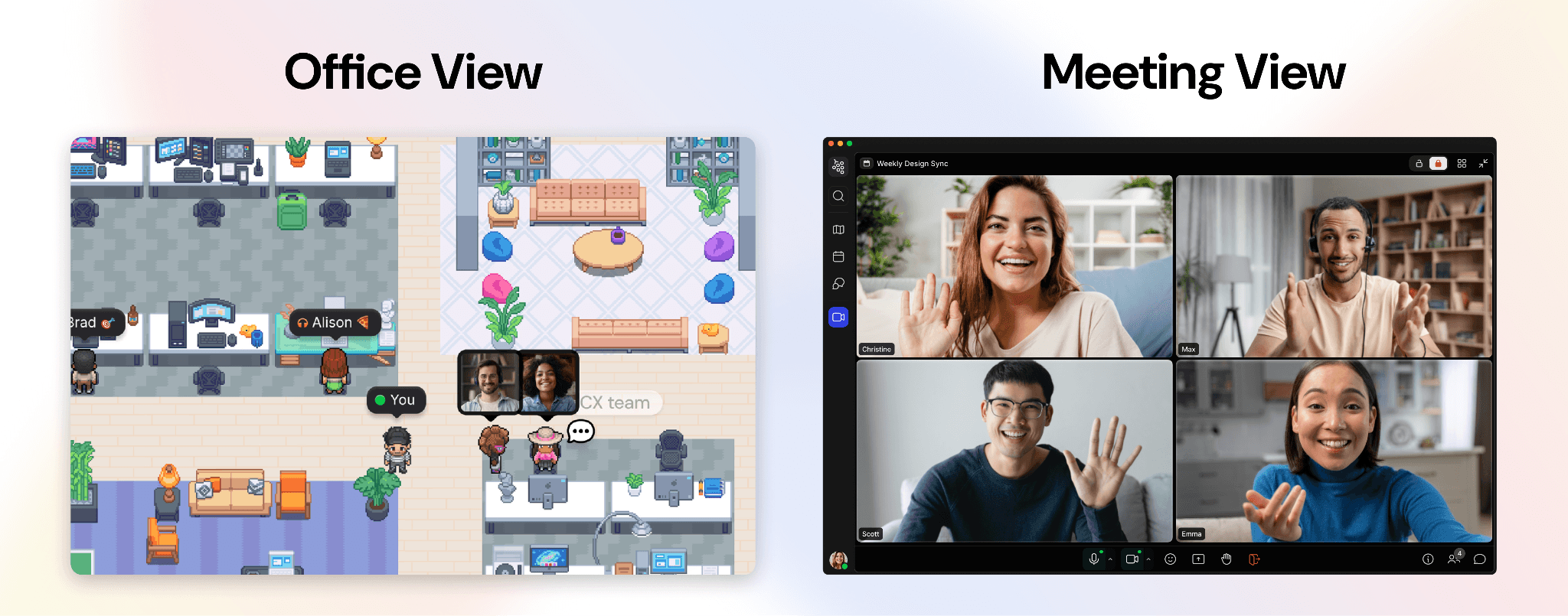
O Gather recria a presença ambiente de um escritório físico, para que as conversas aconteçam naturalmente, não apenas quando são agendadas.
O que é: O Gather é um escritório virtual onde sua equipe remota pode trabalhar, conversar e interagir como se estivesse presencialmente. Além de agendar reuniões formais, você pode levar seu avatar até a mesa de alguém e simplesmente começar a conversar. Você pode ouvir conversas próximas e entrar com um clique, ver de relance quem está livre ou concentrado, e chamar um colega para o sofá para uma sessão casual de coworking (playlist do Spotify opcional).
A conversa média no Gather dura menos de 10 minutos, o que significa que esses pontos de contato naturalmente permanecem leves.
O impacto se soma. Equipes que usam o Gather viram o engajamento melhorar em até 70%, e algumas reduziram as mensagens no Slack e no Google Meet em 80% — não porque estejam se comunicando menos, mas porque mais disso acontece naturalmente, sem precisar agendar reuniões para cada coisinha. Como disse Layla Goosen, Gerente de Marketing da mutherboard: "Estamos muito mais conectados uns aos outros dessa forma, e a quantidade de reuniões diminuiu."
Preços do Gather: Os novos escritórios do Gather têm um teste grátis de 30 dias. Depois disso, o preço é de US$ 12/usuário/mês (cobrado anualmente) ou US$ 15/usuário/mês (cobrado mensalmente). Isso inclui todos os recursos: reuniões e chat ilimitados, gravações e transcrições de reuniões, resumos com IA, integrações com GitHub e Spotify, e personalização completa do espaço de trabalho. Equipes maiores podem entrar em contato com a equipe de vendas para um orçamento personalizado.
2. Zoho Meeting
Melhor alternativa ao Zoom econômica
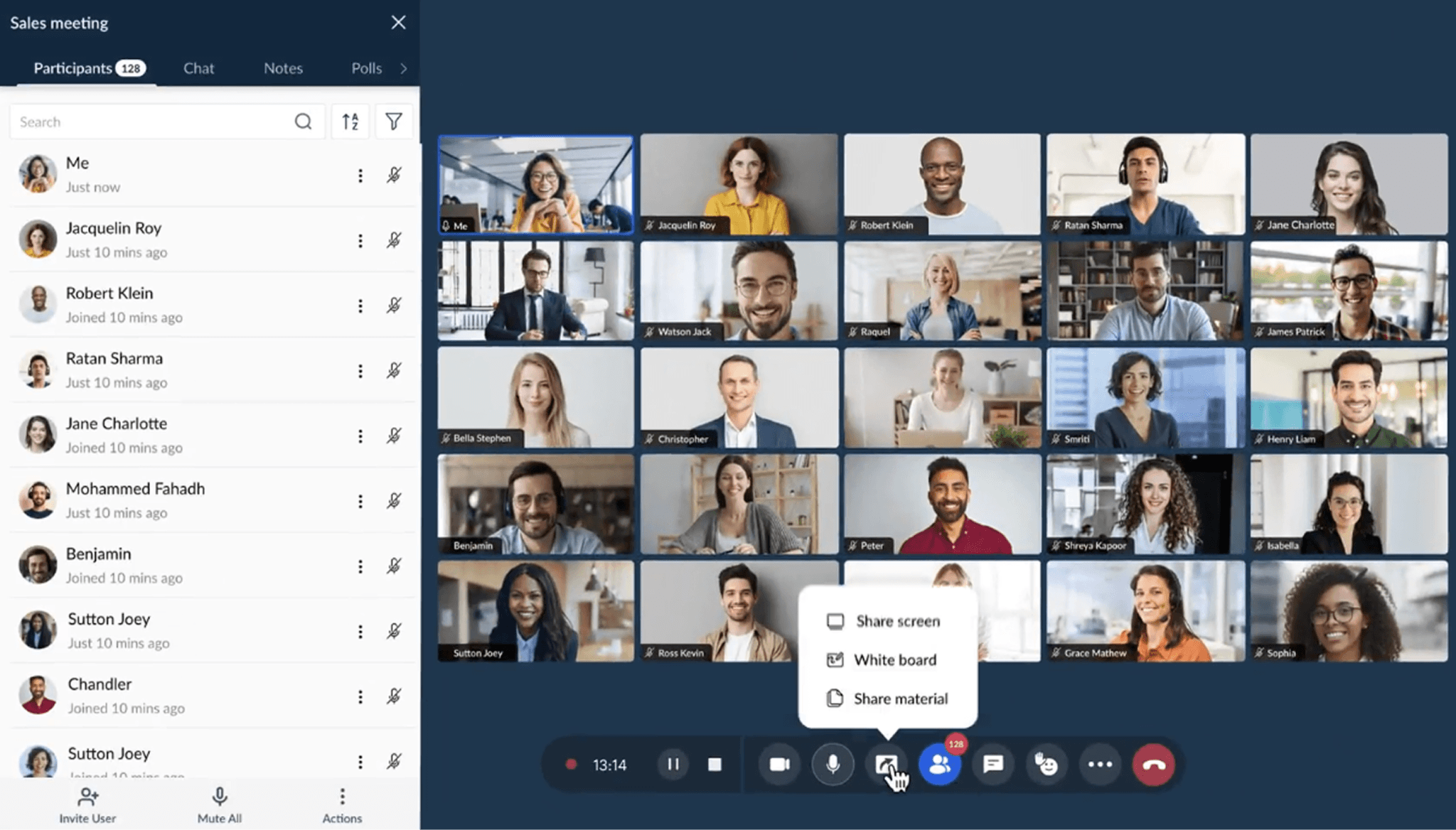
O que é: O Zoho Meeting é uma ferramenta de videoconferência limpa e sem complicações que cobre o básico por uma fração do custo. Isso inclui vídeo e áudio em HD, compartilhamento de tela, gravações de reuniões e realização de webinars. Se a principal necessidade da sua equipe é um lugar confiável para realizar reuniões (e não um espaço de trabalho virtual completo), o Zoho Meeting entrega um bom valor, especialmente se você já está no ecossistema Zoho.
Não é a opção mais rica em recursos desta lista, e não vai substituir a sensação de escritório que a cultura de equipe remota muitas vezes exige, mas, como uma alternativa econômica ao Zoom, vale a pena considerar.
Preços do Zoho Meeting: No momento da publicação, o Zoho Meeting oferece um plano gratuito para reuniões de até 60 minutos com 100 participantes. Os planos pagos para reuniões começam em US$ 1/anfitrião/mês (cobrado anualmente) para grupos pequenos, chegando a US$ 18/anfitrião/mês (cobrado mensalmente) para até 250 participantes.
3. Slack Huddles
Melhor para levar uma conversa do chat para uma chamada
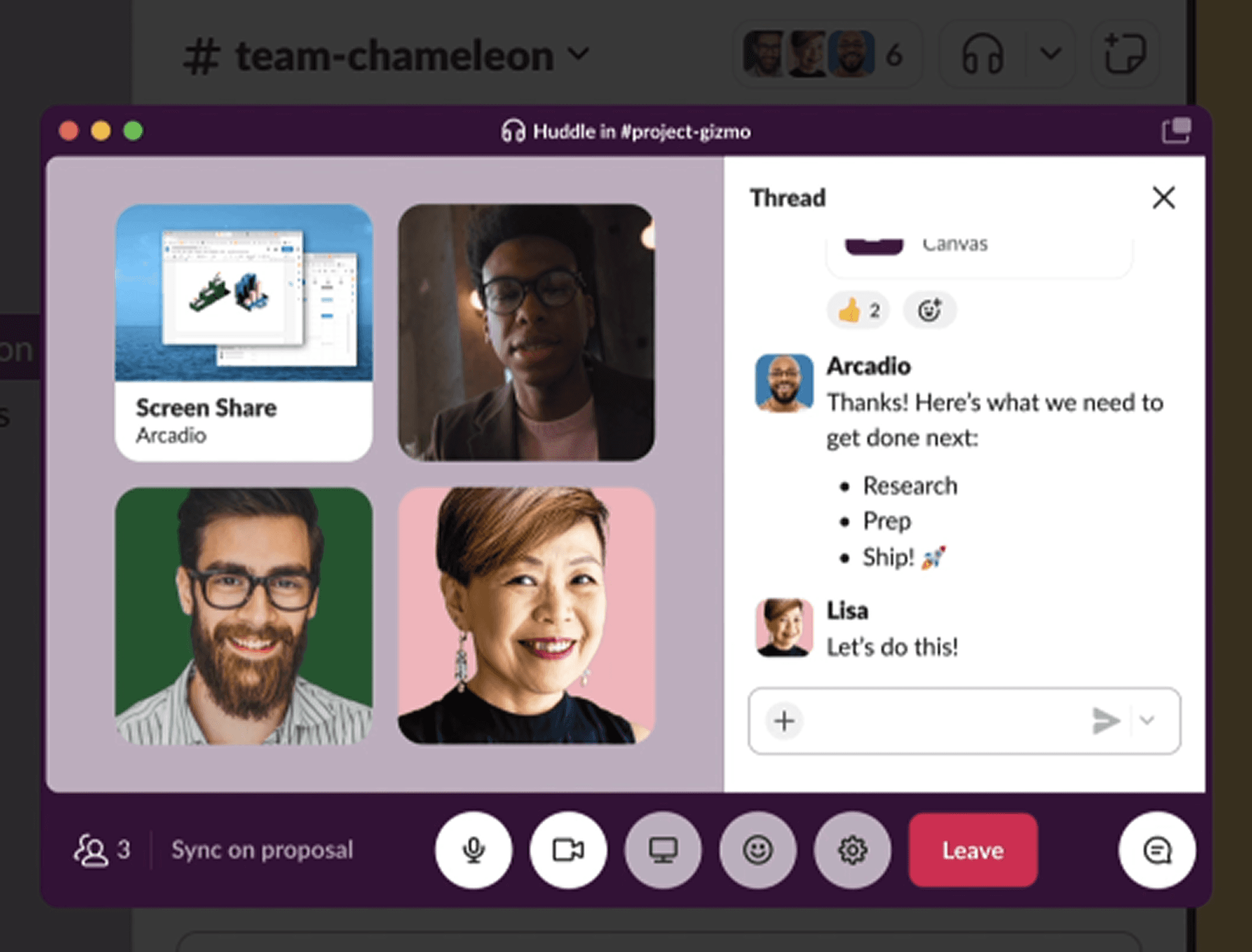
O que é: O Slack Huddles é a chamada leve de áudio (e vídeo opcional) integrada diretamente ao Slack. Um clique em qualquer canal ou DM, e você já entra. Ele foi projetado para o momento em que uma troca de mensagens está dando voltas e alguém precisa simplesmente conversar ao vivo.
Os Huddles não substituem reuniões por completo. Não há fluxo de agendamento, nem gravação padrão, nem sala de espera. Mas esse é o ponto: para equipes que já vivem no Slack, os Huddles facilitam o tipo de conversa rápida que mantém os projetos andando, sem a sobrecarga de uma chamada formal no Zoom.
A principal limitação: os Huddles funcionam melhor em momentos curtos. Eles não foram feitos para reuniões estruturadas, chamadas gerais ou qualquer coisa que precise de gravação. Para esses casos, você ainda vai querer uma ferramenta dedicada de videoconferência.
Preços do Slack: No momento da publicação, os Huddles 1:1 estão disponíveis no plano gratuito do Slack, enquanto os Huddles em grupo são limitados aos planos pagos a partir de US$ 7,25/usuário/mês (cobrado anualmente).
4. GoTo Meeting
Melhor para reuniões simples e seguras
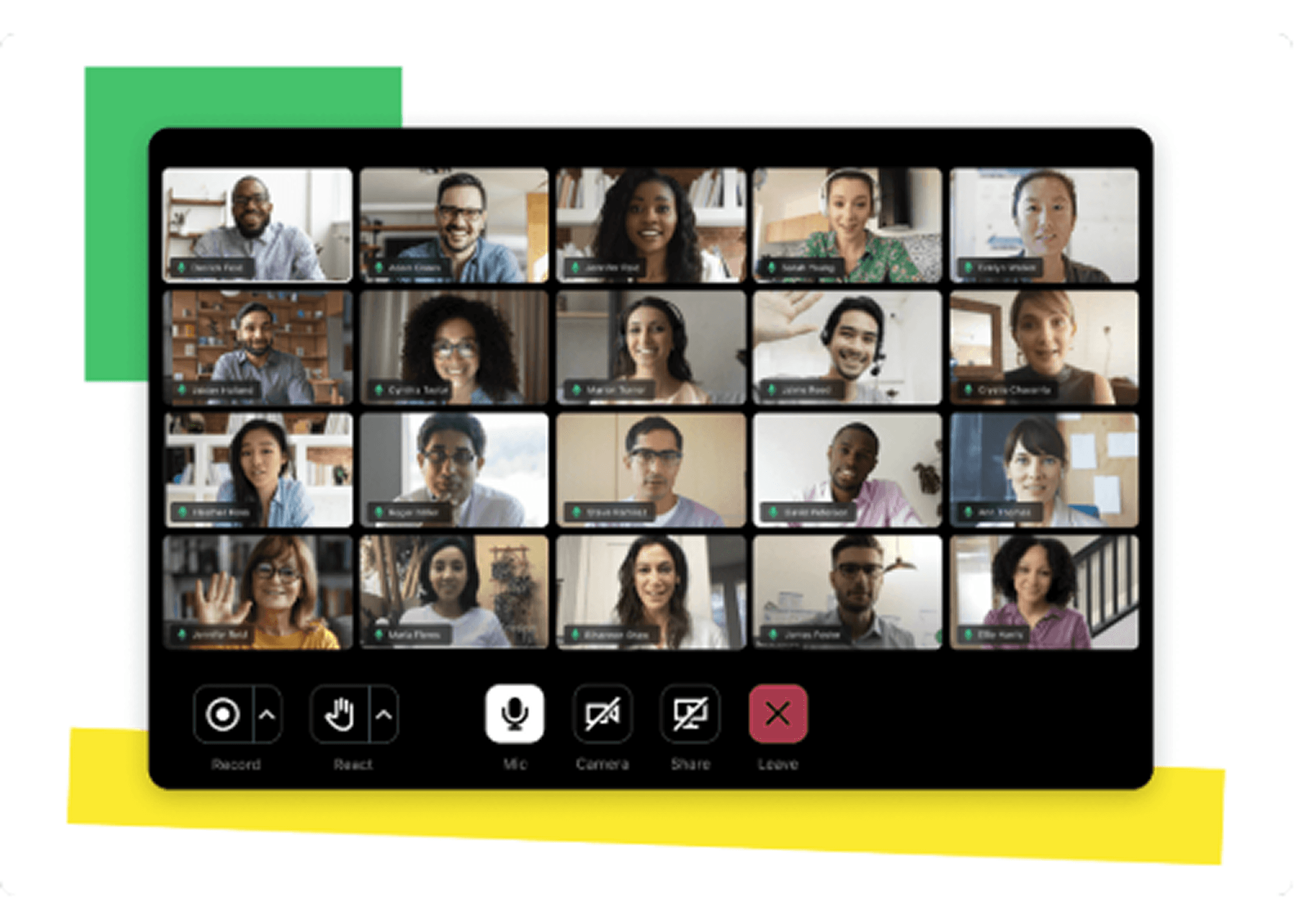
O que é: O GoTo Meeting existe há tempo suficiente para fazer reuniões do jeito certo. Ele oferece vídeo e áudio em HD, compartilhamento de tela, gravação de reuniões e acesso móvel em uma interface limpa e previsível que exige configuração mínima. Para equipes que realizam muitas chamadas externas ou com clientes, nas quais a confiabilidade importa mais do que os recursos, o GoTo Meeting é uma escolha confiável.
Ele se integra ao Microsoft Office 365 e ao Slack, a criptografia de ponta a ponta é padrão, e a experiência de entrada para participantes externos é tranquila. A desvantagem é que não oferece um plano gratuito e faz relativamente pouco para melhorar o engajamento ou a cultura da equipe; é uma ferramenta de reuniões, não de integração de equipe. Mas, se você precisa de chamadas de vídeo seguras e sem complicação, o GoTo Meeting vale a consideração.
Preços do GoTo Meeting: No momento da publicação, os planos pagos do GoTo Meeting começam em US$ 12/organizador/mês (cobrado anualmente) para até 150 participantes. Não há um nível gratuito permanente, embora haja um teste disponível.
5. Webex Meetings
Melhor para equipes híbridas que querem videoconferência tradicional

O que é: O Webex é a plataforma de videoconferência corporativa da Cisco, e isso fica evidente. Ela foi criada para organizações que precisam de segurança robusta, certificações de conformidade e suporte para reuniões em grande escala. Se sua equipe atua em setores como finanças, saúde ou governo, a criptografia de ponta a ponta do Webex, a conformidade com a HIPAA e os controles administrativos avançados valem o investimento.
Além da conformidade, o Webex adicionou recursos de IA realmente úteis: cancelamento de ruído em tempo real, resumos de reuniões e tradução ao vivo em mais de 100 idiomas. Não é a ferramenta mais intuitiva para equipes pequenas (e pode parecer pesada se você não estiver aproveitando seus recursos corporativos), mas, para a organização certa, é uma plataforma bem mantida com muita profundidade.
Preços do Webex: No momento da publicação, o Webex oferece um plano gratuito para até 100 participantes e reuniões de 40 minutos. Os planos pagos começam em US$ 12/usuário/mês (cobrado anualmente).
6. Google Meet
Melhor para equipes que já usam Google Workspace

O que é: O Google Meet é a ferramenta de videoconferência integrada ao Google Workspace, o que significa que, se sua equipe já usa Gmail, Calendar, Drive e Docs, o Meet já está praticamente disponível. Criar uma reunião é tão simples quanto adicionar uma chamada de vídeo a um convite do Google Calendar. Para chamadas externas e sincronizações rápidas da equipe, ele é extremamente prático, de uma forma que poucas ferramentas conseguem igualar.
É uma ótima alternativa ao Zoom, mas não faz muito para combater a fadiga de reuniões virtuais ou ajudar a construir a cultura da equipe. O Google Meet é uma grade de vídeo limpa e funcional, e é basicamente isso. A gravação só está disponível nos planos pagos, e a versão gratuita limita chamadas em grupo a 60 minutos. Mas, para equipes profundamente inseridas no ecossistema Google, o Meet costuma ser o caminho de menor resistência, e isso tem valor de verdade.
Preços do Google Workspace: No momento da publicação, o Google Meet é gratuito para até 100 participantes em reuniões de 60 minutos. O acesso pago vem pelo Google Workspace, que começa em aproximadamente US$ 7/usuário/mês (plano Business Starter, cobrado mensalmente).
7. Microsoft Teams
Melhor para equipes corporativas que usam Microsoft 365
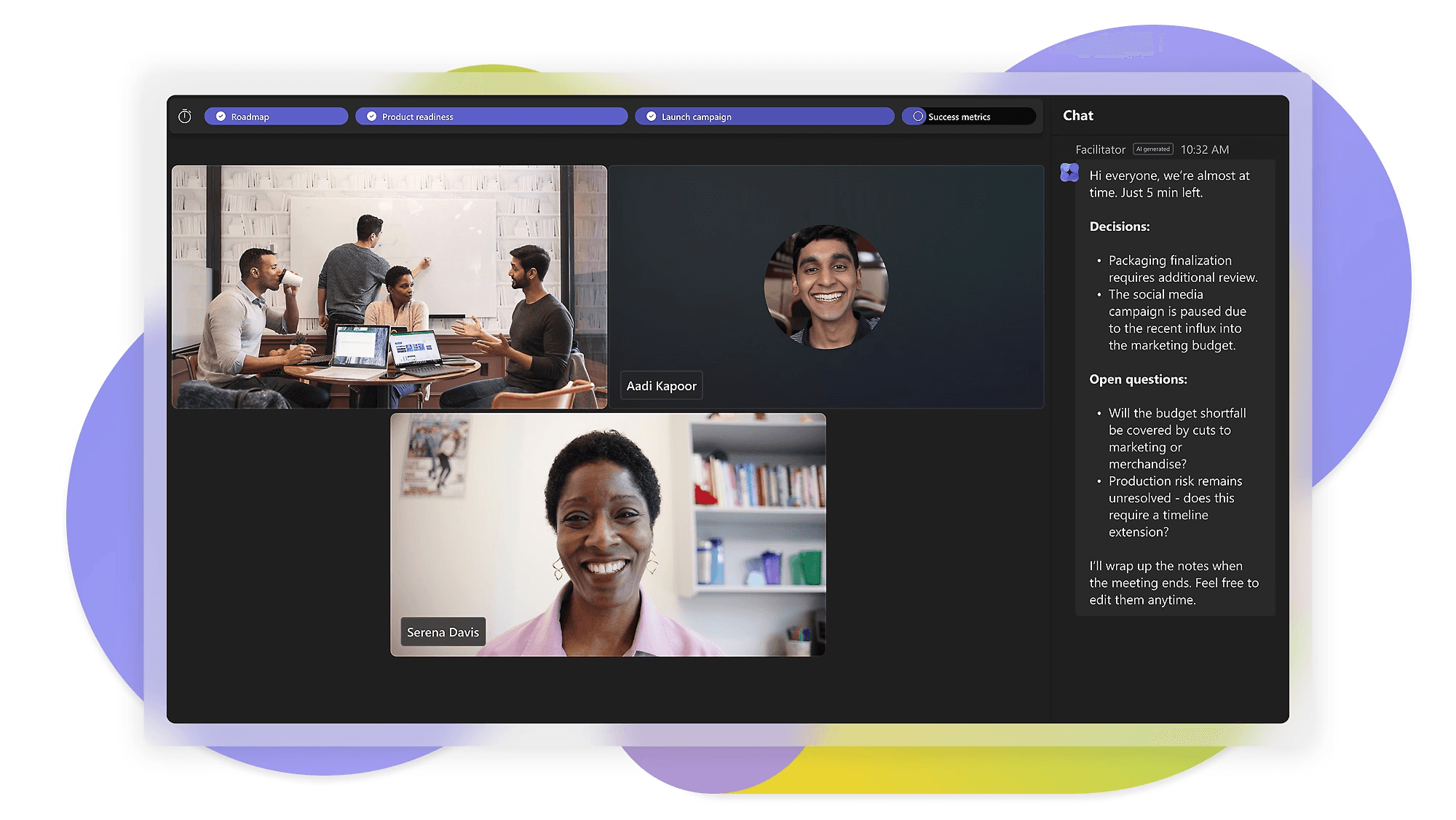
O que é: O Microsoft Teams é um hub de colaboração completo que combina reuniões, chat, compartilhamento de arquivos e integração profunda com a suíte Microsoft 365. Para organizações que já usam Outlook, SharePoint, OneDrive e Word, o Teams geralmente já está licenciado e pronto para uso.
A amplitude do Teams é tanto sua força quanto sua limitação. Se sua equipe precisa de canais estruturados de projeto, recursos de conformidade ou integração estreita com produtos corporativos da Microsoft, o Teams entrega. Se você é uma equipe menor procurando algo ágil e envolvente, a plataforma pode parecer pesada. Ela não fará muito para criar a conexão humana espontânea em torno da qual ferramentas como o Gather foram criadas, mas é uma escolha madura e escalável para organizações maiores que precisam de videoconferência como parte de um conjunto mais amplo de produtividade.
Preços do Microsoft Teams: No momento da publicação, o Microsoft Teams oferece um plano gratuito para até 100 pessoas em reuniões de 60 minutos. Os planos pagos começam em US$ 4/usuário/mês (cobrado anualmente).
FAQ
Por que um espaço de trabalho virtual é melhor do que um software de reuniões tradicional para equipes remotas?
Ferramentas tradicionais de reunião como o Zoom reproduzem apenas a parte agendada da vida no escritório. Um escritório virtual como o Gather reproduz o lado espontâneo (como conversas de corredor e conversas ambientais) enquanto também facilita reuniões agendadas. O resultado é uma equipe que se comunica com mais liberdade e depende menos de chamadas de vídeo agendadas para continuar conectada.
Como tiro minha equipe remota da fadiga de Zoom?
Comece auditando o que realmente vale uma reunião. Substitua chamadas de atualização de status por atualizações assíncronas e reduza a duração das reuniões quando possível para liberar espaço na agenda. Dê à sua equipe permissão para desligar o vídeo em sincronizações de baixo risco. Depois, reavalie seu software em busca de um espaço de trabalho que torne conversas rápidas e leves realmente fáceis e rápidas. Para saber mais, confira o guia do Gather para reduzir a fadiga de Zoom.
Qual é a duração média de uma reunião para equipes remotas?
A duração média das reuniões no Gather é inferior a 10 minutos. Em comparação, a Flowtrace analisou 1,3 milhão de reuniões em locais de trabalho modernos e descobriu que a duração média das reuniões é de 30 minutos. Os clientes do Gather têm mais chances de realizar reuniões rápidas e improvisadas do que agendar chamadas longas e formais.
Existe uma alternativa gratuita ao Zoom?
Sim, várias! Google Meet, Microsoft Teams e Zoho Meeting oferecem um plano gratuito com limite de 60 minutos. Para equipes interessadas em construir uma cultura melhor de equipe remota (e não apenas trocar de app de reuniões), o Gather oferece um teste grátis de 30 dias. Comece seu teste do Gather aqui.
Não faltam alternativas ao Zoom em 2026, e a certa depende do que sua equipe realmente precisa. Se você está procurando uma chamada de vídeo mais barata ou mais simples, Zoho Meeting e GoTo Meeting são boas opções. Se sua equipe usa Slack, Google Workspace ou Microsoft 365, a melhor ferramenta talvez já esteja na sua pilha atual. E, se você precisa de segurança e conformidade de nível corporativo, o Webex dá conta do recado.
Mas, se o que você realmente está tentando resolver é conexão (o tipo de colaboração que não exige um convite de calendário), ferramentas que apenas reproduzem uma grade de vídeo não vão levar você até lá. Foi para preencher essa lacuna que o Gather foi criado. Não é um app de reuniões melhor; é uma forma diferente de trabalhar junto, em que sua equipe realmente parece uma equipe.
A maioria das ferramentas de colaboração remota é criada para reuniões. O Gather é criado para os momentos entre elas. Se você quer dar à sua equipe remota um lugar para realmente se conectar (e não apenas assistir a outra chamada de vídeo), experimente o Gather grátis por 30 dias.