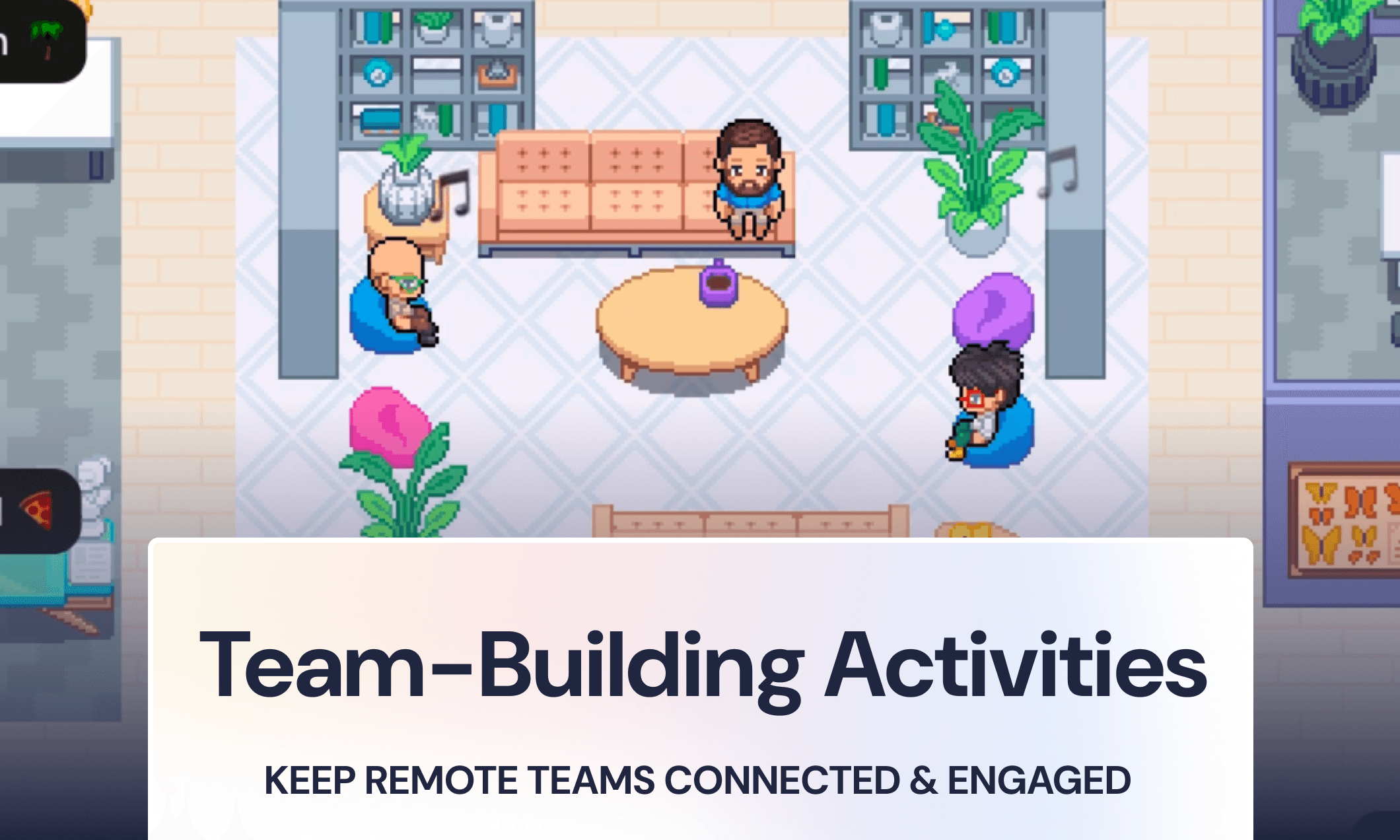
わかります、本当によくわかります…リモートワーク中のチームメンバーはバーチャルハッピーアワー(オンライン飲み会)に飽き飽きしていて、あなたもおそらくその企画にうんざりしていますよね。でも、チームのエンゲージメントを高めてつながりを維持するためには、チームビルディング活動がとっても大切です。では、どうすれば自然な形でみんなを楽しませることができるでしょうか?
Buffer社の「2023年リモートワークの現状レポート(State of Remote Work)」によると、リモートワーカーの23%が最大の悩みとして「孤独感」を挙げており、リモートチームのエンゲージメントがいかに重要であるかが浮き彫りになっています。職場で孤独や孤立を感じると、コラボレーションの低下やプロジェクトの混乱など、チーム全体のより大きな問題につながりかねません。
孤独感に対抗するためには、強い社会的絆で結ばれたチームが必要です。チームエンゲージメントを高めることは、士気を向上させるだけでなく、オープンなコミュニケーションとスムーズなコラボレーションを維持することにもつながります(これらはリモートチームの結束力を維持するために欠かせない2つの要素です)。
少し大げさに聞こえるかもしれませんが、リモートチームのために「楽しい時間」を確保することは、最優先事項にする価値があります!
嬉しいことに、チームビルディングはリモートチームであっても決して難しいことではありません。手の込んだゲームを企画する必要はなく、ただ本物のつながりが生まれる「スペース」を作るだけでいいのです。一緒に笑い合い、ストーリーをシェアし、「へえ、そんな一面があったんだ!」と言い合えるような瞬間ですね。
誰のためにチームビルディング活動を企画すべき?
もちろん、まずは自分の直属のチームのために心のこもった親睦会を企画したいところですが、お互いに連携する他部署のメンバー(クロスファンクショナルチーム)のことも忘れないでくださいね。こうした関係性を強固に保つことは重要ですし、バーチャル親睦会はメンバーが組織全体の様々な人と出会う素晴らしいきっかけになります。
チームビルディング活動を考える際は、以下のグループを意識してみましょう。
1. 自分の部門や直属のチーム
毎日一緒に働いているメンバーなので、「大がかりな」親睦イベントの頻度は少なくて大丈夫です。ミーティングの冒頭に5〜10分ほどの簡単なアイスブレイクを取り入れたり、月に1回30分の親睦会を開いたりして、良い流れを維持しましょう。
2. クロスファンクショナルチーム(他部署との連携)
普段よくコラボレーションする部署はどこですか?(例えば、開発とデザイン、セールスとマーケティングなど)。四半期に一度の親睦イベントを企画して、部署間の壁を取り払い、お互いへの理解を深めてみましょう!
3. 会社全体
大き目のイベントは、全社親睦会や特別な機会(会社の創立記念日、一大製品リリース、重要なマイルストーンの達成など)のために取っておきましょう。頻度こそ少ないですが、組織全体で大きな感動を共有する素晴らしい瞬間になります。
手軽にできる!10のバーチャルチームビルディング活動(時間&手間で整理)
手間は少なく、効果は抜群、そしてメンバーが心から楽しめるこちらの10のバーチャル活動で、リモートチームのつながりをぐっと深めましょう!
「これ、それともあれ?」どっち派討論(5〜10分)
おすすめシェア:観る・読む・聴く(5〜10分)
バーチャルデスク・デコレーションコンテスト(10〜15分)
完全ランダム!超偏愛プレゼン大会(15〜30分)
バーチャル宝探しゲーム(15〜20分)
つながるビンゴ(20〜30分)
他部署コラボ!バーチャルランチ会(30分)
もくもくBGM作業セッション(30〜60分)
バーチャル読書会(30〜60分)
チーム特技披露ショー(45〜60分)
おまけ:シーズンごとの限定アレンジを加えよう!
まずは直属のチームで簡単にできることから始めて、慣れてきたら他部署合同や全社的なイベントなど、より大きなチームビルディングを企画してみるのがおすすめです。
すぐにできる!クイック企画(5〜10分)
こんな時におすすめ: ミーティングのスタート時、長時間の会議の合間、ちょっと気分転換して頭をリフレッシュさせたい時。
1. 「これ、それともあれ?」どっち派討論(お手軽バーチャルアイスブレイク)
所要時間: 5〜10分
最適な場面: 少人数のミーティング、ブレインストーミング、少しチームに疲れが見える時
2つの選択肢から全員にどちらかを選んでもらうことで、お互いの好みを楽しく知り合えます。「ブラウニーとチョコチップクッキー、どっち?」「朝型と夜型、どっち?」「山と海、どっち?」ポイントは、一瞬「うーん、どっちだろう!」と考えてしまうような、絶妙に興味深いお題を用意することです。
進め方:
事前に5〜8個の「究極の2択」を用意しておく(その場でみんなからアイデアを募ってもOK!)
お題を出して、みんなにチャットやマイクをオンにして選んだ方を発表してもらう
(オプション)何人かに「なぜそれを選んだのか」の理由を楽しく語ってもらう
Gatherならではの楽しいポイント: アバターを部屋の左右に動かしてもらうことで、視覚的にもめちゃくちゃ盛り上がります!「エイリアンになりたい人は右へ、ゴーストになりたい人は左へ進んで!」といったシンプルな質問が、リアルタイムにみんなの動きが見えることでさらに楽しくなりますよ。
2. おすすめシェア:観る・読む・聴く(お手軽バーチャルアイスブレイク)
所要時間: 5〜10分
最適な場面: 少人数のミーティング(8人以下)で、サクッとプライベートな話題でつながりたい時
メンバー全員が「最近ハマっている映画かテレビ番組」「本」「音楽かポッドキャスト」の3つを紹介し合います。最近お気に入りのものはもちろん、人生ベスト3、あるいはあえて「うーん、いまいちだったかも…」というお勧めでもOK。誰かの少し恥ずかしいリアリティ番組の告白から、別の人の深い文学の紹介につながるなど、バリエーションがあって会話が尽きません。
進め方:
順番に、または次の人を指名していく「ポップコーンスタイル」で発表します
一人ずつ3つのアイテムを紹介します(タイトルだけでも、簡単な一言お勧め理由でもOK)
Slackや共有ドキュメントにリスト化しておくと、後から見返したり、次に見るものの参考にしたりできて重宝します!
3. バーチャルデスク・デコレーションコンテスト(クリエイティブな小活動)
所要時間: 10〜15分
最適な場面: Gatherユーザー、季節のイベント時、クリエイティブなエネルギーをチャージしたい時
制限時間内に、メンバーそれぞれが自分のデスクをデコレーションします。Gather内のバーチャルデスクでも、自宅の実際の体験デスクでもOKです。「冬仕様」「大好きな色」「ミニマリスト」「大カオス」などテーマを設定して、創造力を爆発させましょう!飾り終わったら、みんなで集まってツアーをします。
進め方:
テーマをみんなに伝え、5〜10分のデコレーションタイムをスタート!
自分の作品をみんなに紹介します(リアルのデスクなら画面共有、Gatherならみんなで歩いて回ります)
「最もクリエイティブ賞」「テーマ再現賞」「特別賞」など、楽しい部門をみんなで投票しましょう
Gatherならではの楽しいポイント: お互いのデスクを飾り付けている様子をリアルタイムに見ることができ、作業をしながらカジュアルに会話も弾みます。親睦会が終わった後も、バーチャルオフィスにみんなの素敵なデスクがそのまま残るのが最高ですね。画面共有だけの紹介よりも、ずっと一体感が生まれます。
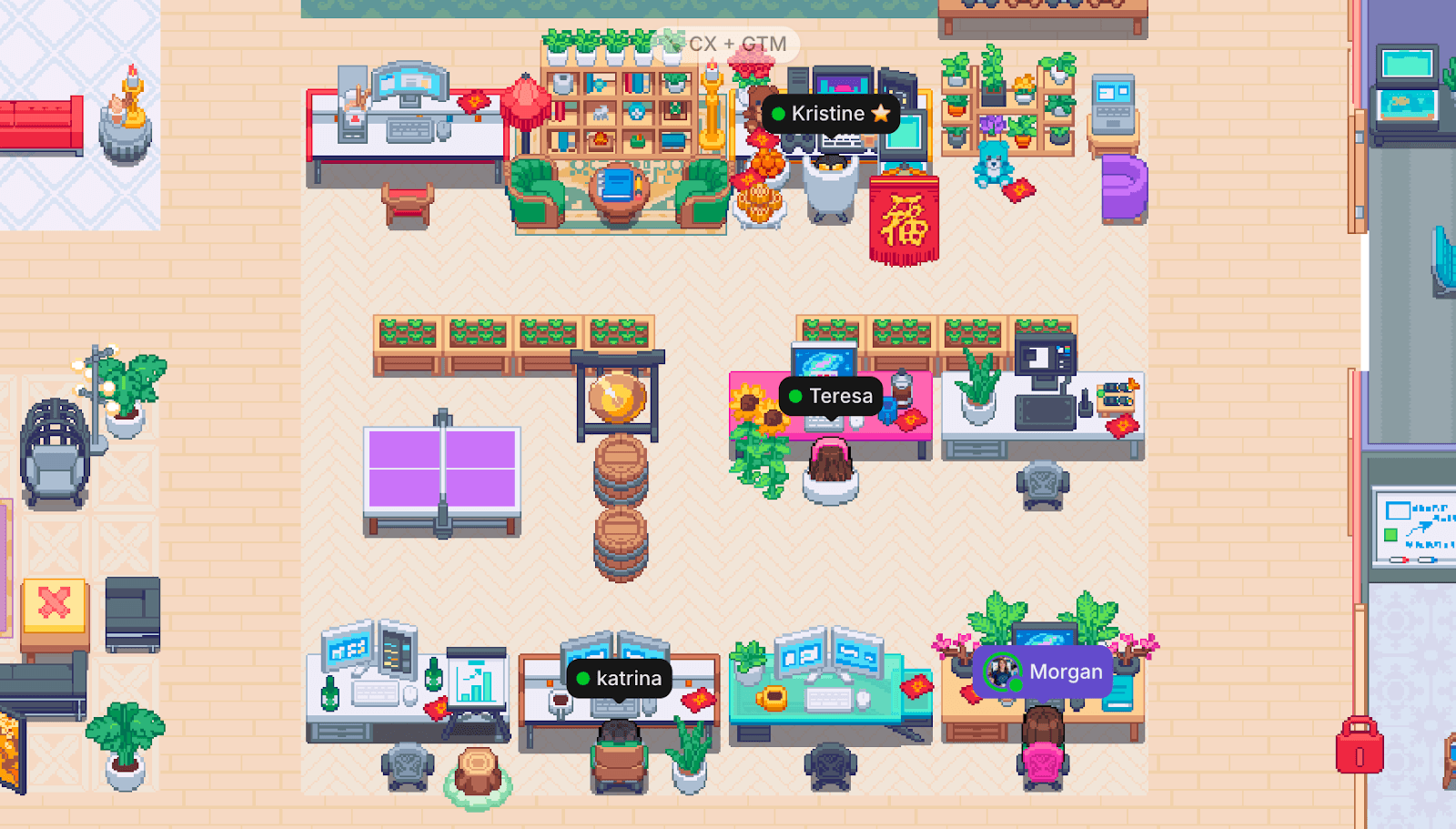
Gather本日のバーチャルオフィスに並ぶデスクの様子。それぞれの個性がそのまま現れていて素敵ですね!
ほどよい交流にぴったり!ミドル企画(15〜30分)
こんな時におすすめ: 隔週の部署内親睦会、他部署を巻き込んだチームビルディングなど、事前の大がかりな準備なしで、しっかりつながる時間を持ちたい時に。
4. 完全ランダム!超偏愛プレゼン大会(クリエイティブチームビルディング)
所要時間: 15〜30分
最適な場面: 熱いオタク気質のあるチーム、クリエイティブ系の部、いつものアイスブレイクに少し飽きてしまったチーム
次のミーティングの始まりが、誰かの「ホットケーキ早食い選手権に関する徹底調査スライド」だったらと想像してみてください。完全ランダムで、熱意に溢れていて、びっくりするほど楽しいですよね!毎回1人が持ち回りで発表するスタイルでも、フルイベントとして1人5分のライトニングトーク大会にするのも大盛り上がりです。
進め方:
有志を募るか担当を決め、仕事以外の「大好きなこと」について10〜15分のスライドを作ってもらいます(内容は完全自由!)
熱狂的な豆知識やこだわりの内容を、思い切り楽しく発表してもらいます
Q&A(質疑応答)の時間をしっかり取りましょう。実はこの質問タイムこそが一番盛り上がったりします
ちょっとしたアクティビティのアイデアをもっと知りたい方は、こちらのバーチャルミーティング向け5分間ゲームガイドも参考にしてみてくださいね。
5. バーチャル宝探しゲーム(エネルギー全開アクティビティ)
所要時間: 15〜20分
最適な場面: 連続する会議で凝り固まったチームを元気にしたい時、バーチャルオフィスへ新入社員を迎える時のオンボーディング
指定されたアイテムのリストを渡し、バーチャルオフィス内や家の中で探し出してきてもらいます。一番早くすべてを見つけた人が勝ちです!「紫色のもの」「子供の頃の写真」「冷蔵庫に眠る一番古いもの」「ちゃんとインクが出るペン」など、ユニークでちょっと面白いアイテムを設定するのがポイントです。
進め方:
探してくるアイテムのリストを5〜10個作成します(Gather内のオブジェクトや、リアルの自宅にあるもの)
タイマーをセットして、ゲームスタート!
すべてを集めて提示できた人(Gatherならスクリーンショット、リアルの物ならカメラに見せる)が優勝です
Gatherならではの楽しいポイント: バーチャルオフィスに隠されたオブジェクトを、アバターたちが一斉に走り回って探す姿は圧巻です!みんながリアルタイムで楽しそうに探し回る様子が見えるので、本当にその場にいるようなワクワク感が味わえます。
6. つながるビンゴ(チームの絆を深めるアクティビティ)
所要時間: 20〜30分
最適な場面: 新しく結成されたチーム、他部署との初対面、新メンバー向けのグループオンボーディング
チームメンバーにまつわる「事実」を集めて、カスタムのビンゴカードを作成しましょう。例えば「実は牧場に住んだことがある」「3ヶ国語話せる」などの面白い事実や、「先月入社したばかり」「人事部のリーダー」といったプロフィール情報などです。15〜20分間の雑談タイムを設け、該当する人が見つかったらマス目を埋めていきます。
進め方:
16マスまたは25マスのビンゴカードを作成します(Canvaの無料テンプレートや、オンラインの無料ビンゴメーカーを使うと便利です!)
イベント前にカードを配布し、みんなに見てもらいます
バーチャル個室に入ったり、お互いにメッセージを送ったりしながら、15〜20分間自由にみんなと会話をさせます
誰よりも早くビンゴを達成した人(または時間制限内に一番多くマスを埋められた人)の勝ちです
Gatherならではの楽しいポイント: 機械的なWeb会議のブレイクアウトルームの割り当てとは異なり、アバターを操作して自由にオフィス内を歩き回り、自然に輪に入ったり抜けたりしながらおしゃべりができます。まるで、リアルの会場で交流会をしているような感覚を再現できますよ。
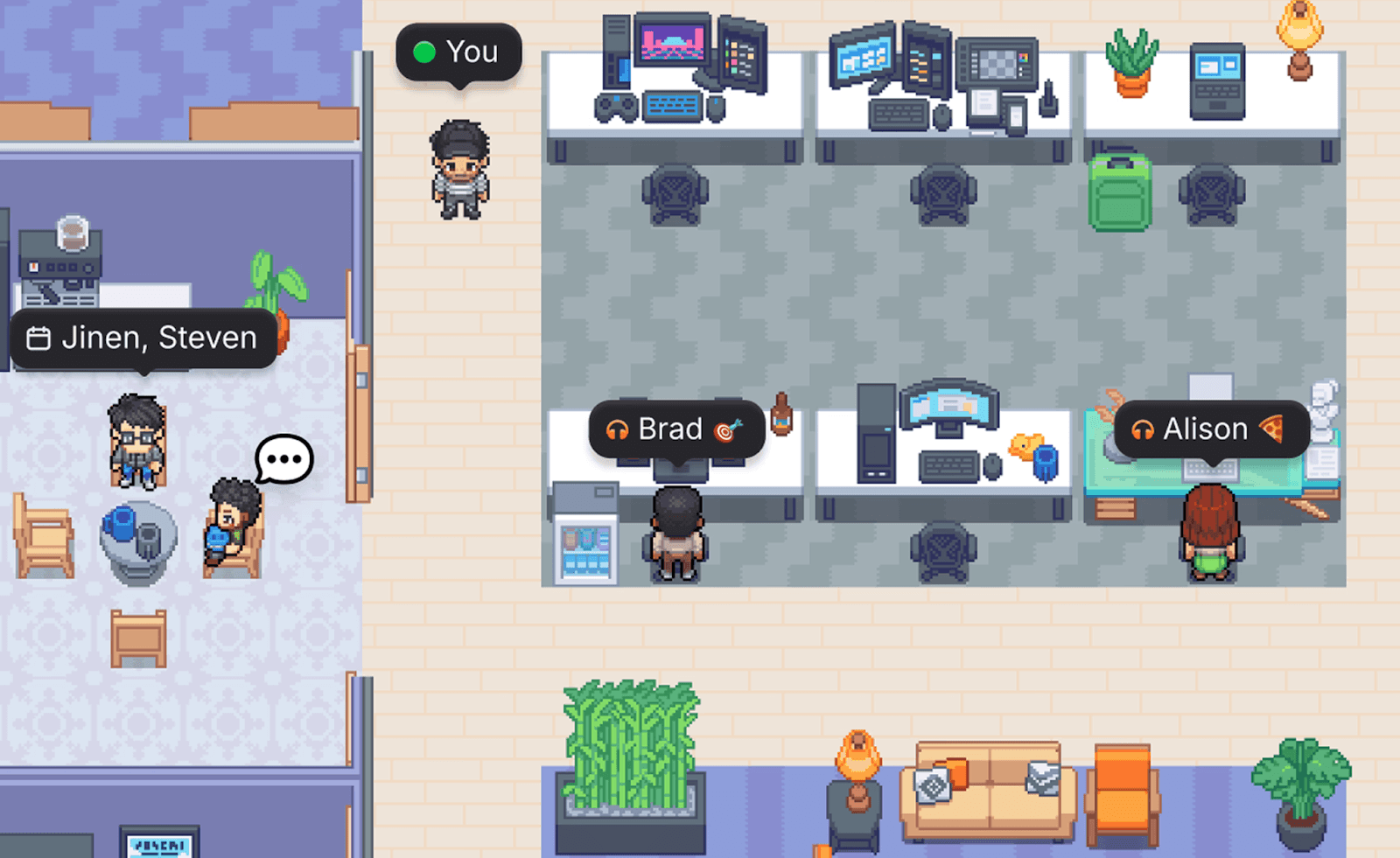
7. 他部署コラボ!バーチャルランチ会(カジュアルグループ親睦)
所要時間: 30分
最適な場面: 各部署の間の「壁」を壊したい時、他部署への理解とリスペクトを深めたい時、インフォーマルな対話の場を作りたい時
異なる部署同士が気軽にオンラインでランチを食べながらおしゃべりできる30分を確保しましょう。マーケティング×エンジニア、営業×プロダクト、カスタマーサクセス×ザザインなど。仕事の話やアジェンダは一切なしで、チャットやツールを介したアバターの裏側にいる「本物の人間」とおしゃべりしてみましょう。
進め方:
毎月、または四半期に一度の定期枠を作ります
毎回異なる部署同士をペアリングします(どんどんローテーションさせましょう)
なるべくカメラをオンにして、リラックスしたトーンでおしゃべりを楽しみます
(おすすめ)「最初の会話のお題」をいくつか用意しておくと、初対面でもスムーズに話し始められます
Gatherならではの楽しいポイント: ペアごとに異なるテーマの部屋を割り当てることができるので、「ちょっとお邪魔しまーす」と隣のグループをのぞきに行ったり、複数のグループの盛り上がりを見ることができます。リーダー層も気軽に少し顔を出して、すぐ次の部屋へ移動するのがとっても簡単です。
より深い絆を育む!ディープ企画(30〜60分)
こんな時におすすめ: 毎月の部署内イベント、四半期のバーチャル合宿(オフサイト)、特別な記念日など、みんなの思い出に残る素敵な時間を過ごしたい時に。
8. もくもくBGM作業セッション(みんなで集中コワーキング)
所要時間: 30〜60分
最適な場面: 自由参加で、プレッシャーなく静かに絆を感じたい時(「もくもく会」が好きな人に最適!)
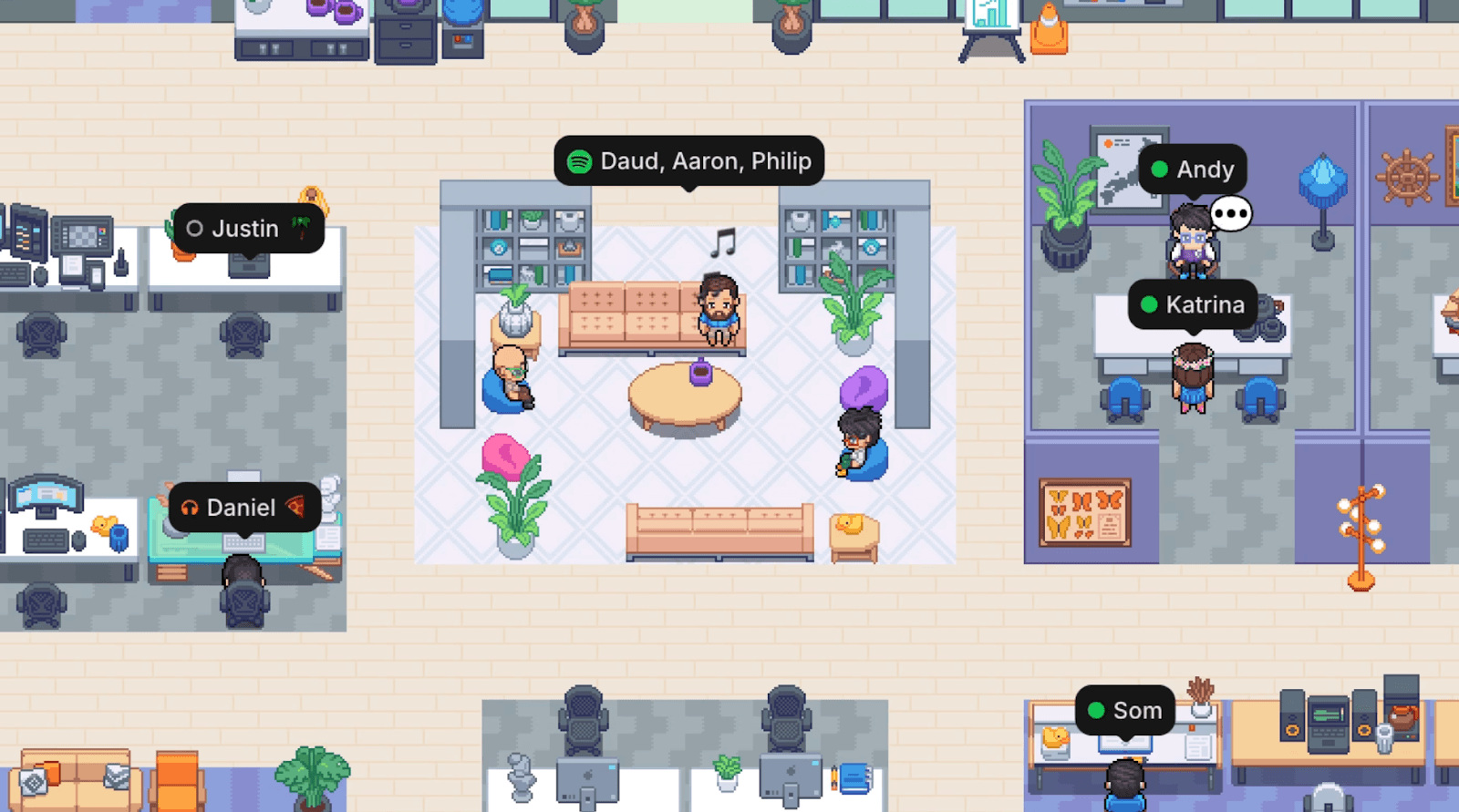
チームの親睦イベントすべてが、大きな声で盛り上がったり話したりするものである必要はありません。たまには、ただ同じ空間で一緒に仕事をすること自体が、一番の安心感を生むこともあります。音楽をシェアできるSpotifyプレイリストを用意して(誰かが日替わりDJを務めても楽しいですね!)、コワーキングセッションを開いてみましょう。アイデアが閃いた時にふと雑談し、集中したい時は黙々と集中します。
進め方:
みんなで共有するミュージックプレイリストをセット、またはDJ担当者を決めます
時間をセット(30〜60分程度がおすすめ)します
時間内の出入りは完全に自由。最初から最後までいる必要はなく、全くプレッシャーをかけないことがコツです
カメラのオン・オフは完全自由、おしゃべりもその場の自然な空気感に任せます
Gatherならではの楽しいポイント: コワーキングエリアに誰かが座っているのが一目でわかるので、「ちょっと隣に行って一緒に仕事しよう」とアプローチするのがとても自然です。(ミーティングリンクを毎回共有する必要はありません!)常に会話を急かされる緊張感もなく、同じ共有オフィスに机を並べて働いている温かい感覚を思い出せます。
9. バーチャル読書会(毎月のチームカルチャー構築)
所要時間: 30〜60分、毎月開催
最適な場面: 自己成長や勉強熱心なチーム、他部署同士の日常的な交流、学び続ける組織文化を作りたい時
それぞれがお気に入りの本を持ち寄り、学んだことや面白かったことをシェアする月一回のカジュアルな読書会を開催してみましょう。ビジネス書やリーダーシップ論だけでなく、業界紙や、クリエイティブな閃きを与えてくれる小説など、ジャンルは自由。こうして定期的に集まることで「毎月楽しみな時間」になり、お互いのお勧めを知ることができるので非常に人気のエクササイズです。
進め方:
毎月の日程を決めてカレンダーに招待を設定します
一人ずつ順番に、読んだ本と、心に残った学びの紹介をし合います
お堅い書評にする必要はありません。ざっくばらんにインスピレーションを話し合いましょう
10. チーム特技披露ショー(大盛り上がりの全社フェス!)
所要時間: 45〜60分
最適な場面: 社内のキックオフ、一年の節目のイベント、特別な成果を挙げたときのお祝いパーティー
メンバーそれぞれが、普段は見せない「意外な特技」をお披露目する時間を作ってみましょう。ギターの弾き語り、5分間の簡単ヨガレッスン、ちょっとしたプチ手品など何でもOK!これはプロ並みの完璧さを競う場ではなく、仕事の「同僚」としてだけでなく、それぞれが素晴らしいプライベートを持つ一人の「人間」としての魅力を共有し合うためのものです。
進め方:
数週間前に、参加申し込みのスプレッドシートを送って発表希望者を募ります
1人あたりの持ち時間は3〜5分にします
全体の進行と紹介(MC役)を立てておくとスムーズです
出演してくれるみんなの勇気を称えて、思い切り拍手を送りましょう!チャット欄をスタンプでいっぱいにすると盛り上がります!
Gatherならではの楽しいポイント: リアクション絵文字を使うと、アバターがパチパチ拍手したり、楽しそうにジャンプやダンスをして画面いっぱいにアニメーションが広がります。カメラをオフにしている人も一緒になって、お祭り騒ぎのような一体感をリアルに感じられますよ!
おまけ:季節ならではの限定アレンジを加えよう!
活動に季節の味付けを加えることで、いつも新鮮な気持ちで楽しめます。「これ、それともあれ?」をお正月やクリスマスのホリデー仕様にアレンジしたり、「夏休みを思い出させるものを見つけてくる」サマー宝探しをしてみたり。Gatherデスクを季節のアイテムで飾るコンテストも楽しいですね!
「今だけの特別感」があるとみんなも一歩踏み込んで遊びやすくなりますし、一年の思い出をみんなで作る素敵な節目になります。
さあ、楽しい10の活動はいかがでしたか?ここからは、なぜこうした時間が大切なのかを少しおさらいしてみましょう。
なぜ、こうしたチームビルディング活動が本当に効果的なの?
全ての活動に共通する、たった一つのシンプルな理由があります。それは、これらの企画はどれも難しい事前準備を必要とせず、「義務感」を感じさせないこと。そして最も大切な、リモートワークのカルチャーを劇的に向上させる本物の「人間味あふれる瞬間」を生み出せるからなんです。
誰かの突飛なプレゼン内容に爆笑したり、「えっ、チーム内にフルマラソン愛好者が3人もいたの!?」と驚いたり、いい音楽を聞きながら同じ空間で並んで仕事をしたり…こうした時間があるからこそ、お互いを深く信頼でき、ブレインストーミングが活発になり、結果として仕事の進みが早くなります。信頼し合えるチームなら、意思決定が早くなりプロジェクトが止まることはありません。わからないことも、その場ですぐ質問できるようになります。
そして、Gatherのバーチャルオフィスがあれば、こうした親睦は「イベントが終わった瞬間」に終わりを告げる必要はありません。すれ違った時に「さっきのプレゼン、最高でした!」とサクッと声をかけたり、休憩室で誰かの頭の上にアバターを寄せてひょっこりおしゃべりを始めたり、そんな日常のちょっとした挨拶や小さなコラボレーションの積み重ねこそが、チームを一つにする最大の秘訣なんです。
カチッとしたイベントが「きっかけ」を作り、そこで生まれたつながりが「日常のカジュアルな隣にいられる感覚」へと繋がっていく。同じ一つのビデオ会議の枠から飛び出して、一緒に働いているんだと感じられること。これこそがリモートワークをずっと楽しく、クリエイティブに保つ鍵です。
まずは小さな一歩から、楽しく始めましょう!
一晩でいきなり会社の文化を180度変える必要はありませんよ!まずは今週、何か一つ簡単なアイスブレイク(次の15分ミーティングの冒頭に「これ、それともあれ?」をやってみたり、月曜日の最初におすすめを1つずつシェアしたり)から試してみませんか?そこから生まれるみんなの笑顔や、後になってから「あの話、面白かったよね!」と思い返してくれる瞬間を見守ってみてください。
そこから徐々に月1回のアクティビティを加えたり、四半期に一度の全社イベントを企画したりと、チームに馴染む温かい流れを作っていきましょう。さらにステップアップしたい方向けに、リモートカルチャーを高めるための特別設計ツールを紹介したガイドもあります。
ビデオ会議続きの毎日に、チャットツール上のテキストだけのやり取り。そんな毎日に、ホッとするワクワクするような「つながりのスペース」を作ってくれるのを、あなたのチームは楽しみに待っています。これらのアクティビティなら、あなたのスケジュールを圧迫することなく実現できますよ!
あなたなら、きっと素敵なつながりをつくれます!
応援しています!
定例イベントや会議の時間以外でも、常にチームの「お隣にいるような」距離感を実感してみたいなら、ぜひGatherのバーチャルオフィスをお試しください。今なら30日間無料でスタートできます!